> For the complete documentation index, see [llms.txt](https://docs.ox.security/llms.txt). Markdown versions of documentation pages are available by appending `.md` to page URLs; this page is available as [Markdown](https://docs.ox.security/admin-settings/creating-api-keys.md).
# Creating API keys
You can create security keys to authenticate requests to the OX API and connect external tools and integrations to OX.
Each API key has a [role ](https://docs.ox.security/admin-settings/roles.md)that determines which actions it can perform, and a [scope ](https://docs.ox.security/admin-settings/scopes.md)that determines which applications it can access. For example, an API key can have a Viewer role with access to the entire organization, or an Admin role restricted to applications matching specific App Owners or Tags.
This lets you grant integrations only the permissions and application access they require.
API keys can be personal or organization-owned. Personal API keys inherit the permissions of the user who creates them. Organization-owned API keys have their own assigned permissions, which remain unchanged when the creator's role or scope changes.
Treat API keys like passwords. Store them securely, and do not commit them to source control or include them in application code.
**To create an API key:**
1. In OX, go to **Settings > API Keys**.
2. Select **Create API Key**.
3. Configure the following settings:
| Setting | Description |
| --------------- | --------------------------------------------------------------------------------------------------------------------------------------------------------------------------------------------------------------------------------------------------------------------------------------------------------------------------------------------------------------------------------------------------------------------------------------------------------------------------------------------------------------------------------------------------------------------------------------------------------------------------------------------------------------------------------------------------------------------- |
| API Key Name | Enter a descriptive name for the API key. |
| Key Ownership |
Select the ownership type:
Personal (User-Bound): The API key inherits the role and scope of its creator. Changes to the user's role or scope also change the API key's permissions.
Organization (Static Role): The API key has its own assigned role and scope. Changes to the creator's role or scope do not affect its permissions. Only administrators can create organization-owned API keys.
API Integration: Authenticate applications that access the OX API.
IDE/CLI Integration: Authenticate IDE extensions or CLI tools.
K8s Inspector/Runtime Sensor Integration: Authenticate Kubernetes Inspector and Runtime Sensor integrations. This option is available when Organization (Static Role) ownership is selected.
For organization-owned API keys, select the role that determines which actions the key can perform in OX. The assigned role remains unchanged when the creator's role changes.
Personal API keys inherit the creator's role.
For information about available roles and their permissions, see the Roles documentation.
|
| Assign scope |
For organization-owned API keys, select which applications the API key can access:
Entire organization: Grants access to all applications in the organization.
Custom: Limits access to applications that match the selected App Owners and Tags.
Personal API keys inherit the creator's scope.
|
| Expiration Date | Select when the API key expires. After this date, the key can no longer be used to authenticate API requests. |
4. Select **Create**.
5. **Copy the generated API key and store it securely.** You cannot view it again after closing the dialog.
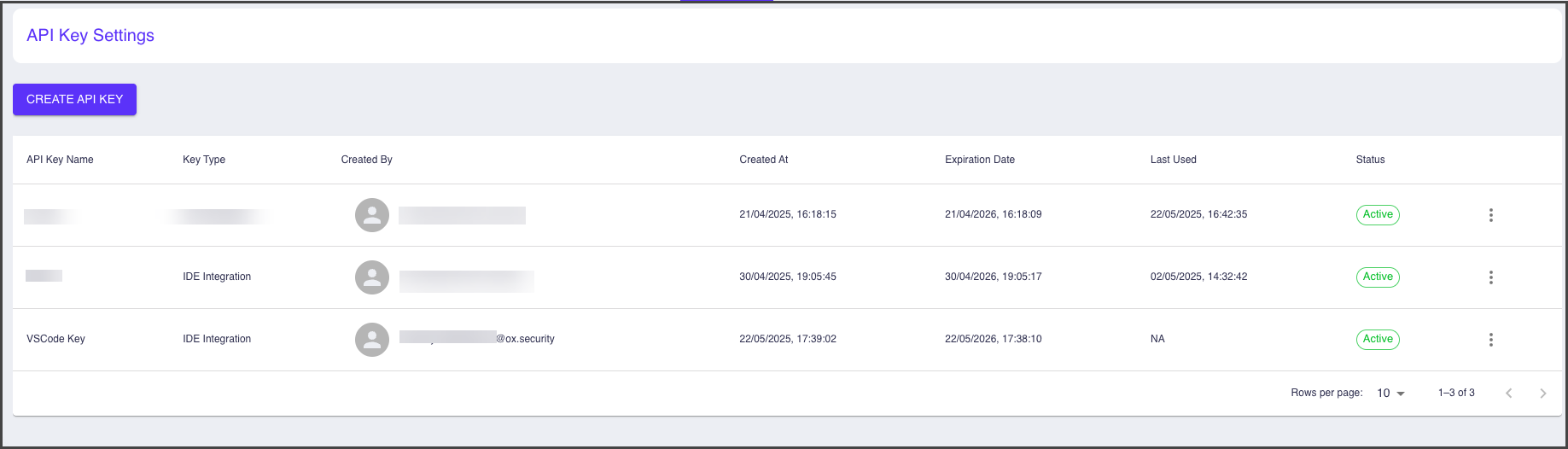
6. Select **CLOSE**. The new key appears on the **API Key Settings** page.
---
# Agent Instructions
This documentation is published with GitBook. GitBook is the documentation platform designed so that both humans and AI agents can read, navigate, and reason over technical content effectively. Learn more at gitbook.com.
## Querying This Documentation
If you need additional information that is not directly available in this page, you can query the documentation by asking a question.
Perform an HTTP GET request on the following URL with the `ask` and `goal` query parameters:
```
GET https://docs.ox.security/admin-settings/creating-api-keys.md?ask=&goal=
```
`ask` is the immediate question: it should be specific, self-contained, and written in natural language.
`goal` is what the user is ultimately trying to achieve, the reason they need the answer. Sharing it helps GitBook give you a better, more relevant answer. A goal is most helpful when it describes the outcome the user wants rather than restating the question. For example, with `ask=how do I create an API token`, a goal like `automate deployments from our CI pipeline` lets GitBook tailor the answer to that use case.
The response will contain a direct answer to the question and relevant excerpts and sources from the documentation.
Use this mechanism when the answer is not explicitly present in the current page, you need clarification or additional context, or you want to retrieve related documentation sections.