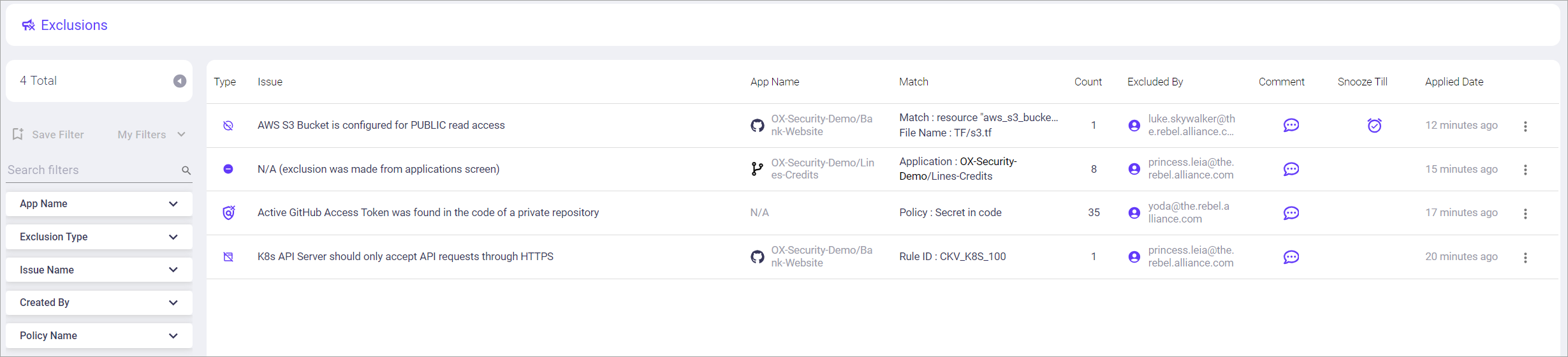
 on the far right side of the entity's row.
2. Select the action you want to perform.
3. In the dialog, confirm that you want to perform the action.
{% hint style="warning" %}
When an entity's exclusion is removed, that entity is immediately removed from the **Exclusions** page. However, issues related to that entity are not included in scan results until a new scan is performed.
{% endhint %}
## Entity types and available actions
| Entity type | Details | Actions available from the Exclusions page |
| ------------------- | -------------------------------------------------------------------------------------------------------------------------------------------------------------------------------------------------------------------------------------------------------------------------------------------------------------------------------------------------------------------------------------------- | ------------------------------------------------------------------------------------------------------------------------------------------------------------------------------------------------------------------------------------------------------------------------------------------------------------------------------------------------------------------------------------------------------------------------------------------------------------- |
| **Applications** |
on the far right side of the entity's row.
2. Select the action you want to perform.
3. In the dialog, confirm that you want to perform the action.
{% hint style="warning" %}
When an entity's exclusion is removed, that entity is immediately removed from the **Exclusions** page. However, issues related to that entity are not included in scan results until a new scan is performed.
{% endhint %}
## Entity types and available actions
| Entity type | Details | Actions available from the Exclusions page |
| ------------------- | -------------------------------------------------------------------------------------------------------------------------------------------------------------------------------------------------------------------------------------------------------------------------------------------------------------------------------------------------------------------------------------------- | ------------------------------------------------------------------------------------------------------------------------------------------------------------------------------------------------------------------------------------------------------------------------------------------------------------------------------------------------------------------------------------------------------------------------------------------------------------- |
| **Applications** | The Exclusions page displays only applications manually marked as irrelevant from the Applications or Issues pages.
Make app relevant: always
Make app relevant: OX dynamic
See the note below for additional information about what makes an app irrelevant.
| | **Issues** | The **Exclusions** page displays issues excluded from the **Issues** page. |Update exclusion expiry date
Remove snooze
The Exclusions page displays detection rules excluded from the Issues page:
Update exclusion expiry date
Remove snooze
The Exclusions page displays policies excluded from the Issues page.