> For the complete documentation index, see [llms.txt](https://docs.ox.security/llms.txt). Markdown versions of documentation pages are available by appending `.md` to page URLs; this page is available as [Markdown](https://docs.ox.security/generate-reports/built-in-reports/sbom-reports.md).
# SBOM Reports
You can use SBOM reports to review and share your software bill of materials. There are two views:
* [**Detailed SBOM Report – Internal**](#detailed-sbom-report-internal)**:** Intended for AppSec engineers to inspect component health, license status, and vulnerability metrics.
* [**SBOM Report:**](#sbom-report) Intended for managers and customers to verify your security posture using a detailed component list.
You can [filter ](#filtering-report-info)and [export ](#exporting-info)the report info.
## Detailed SBOM Report - Internal
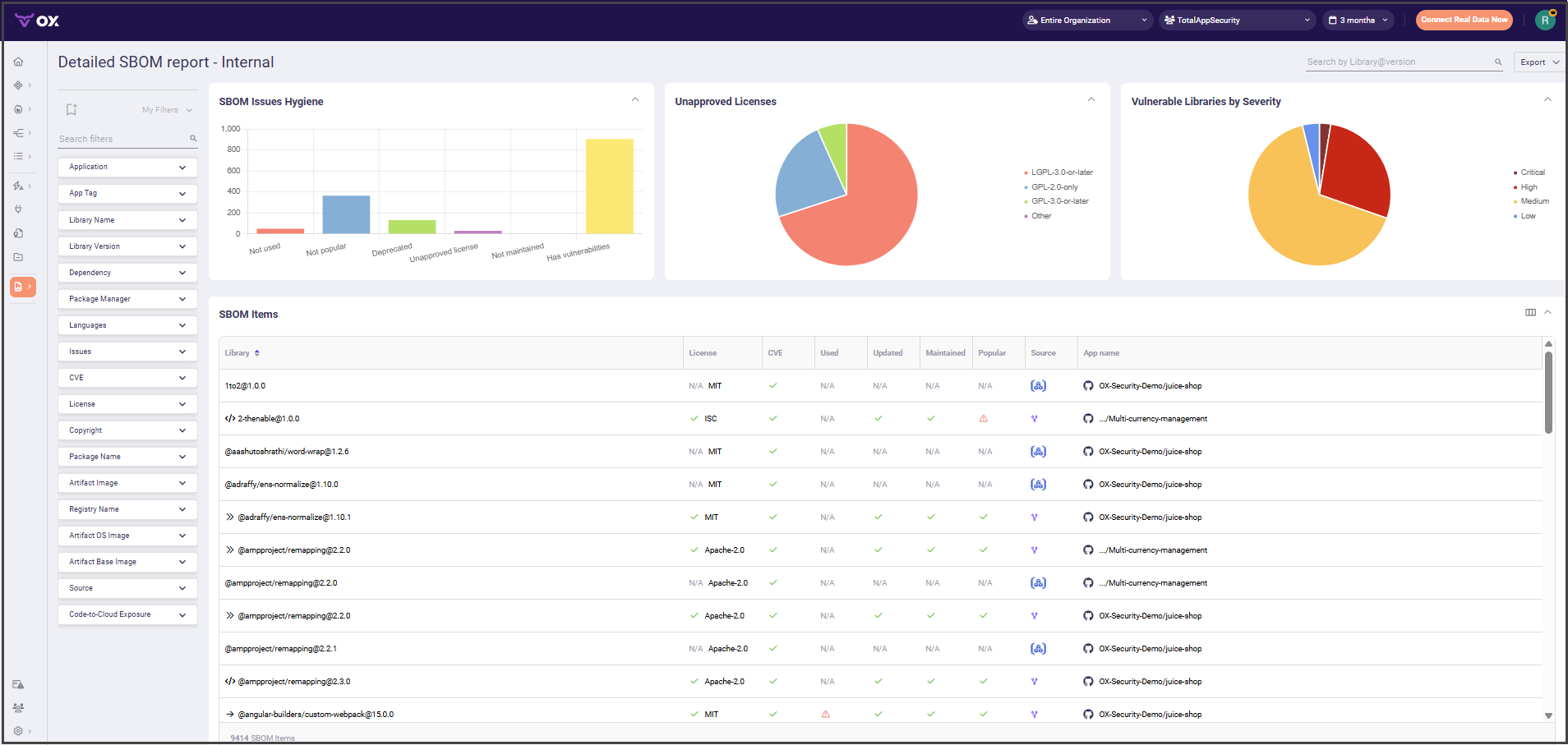
Detailed SBOM Report – Internal shows the health and risk of every component in your software bill of materials.
It displays hygiene metrics, license approval breakdowns, vulnerability severity summaries, and a detailed list of all components.
You can use filters, export data, or start a scan to focus on the items you need.
You can view the following information:
| Section | Description |
| ------------------------------------ | ------------------------------------------------------------------------------------------------------------------------------------------------------------------------------------------------------------------------------------------------------------------------------------------------------------------------------------------------------------------------------------------------------------------------------------------- |
| **SBOM Issues Hygiene** | Displays counts of SBOM items by their hygiene status, such as Deprecated, Unapproved license, Has vulnerabilities and so on. |
| **Unapproved Licenses** | Shows breakdown of SBOM items according to license type for unapproved licenses. |
| **Vulnerable Libraries by Severity** | Shows breakdown of vulnerable libraries according to severity. |
| **SBOM Items** |
Lists all SBOM components with details such as license, CVE status, source, application and so on.
You can click above the SBOM Items table and select which columns to present in the table.
|
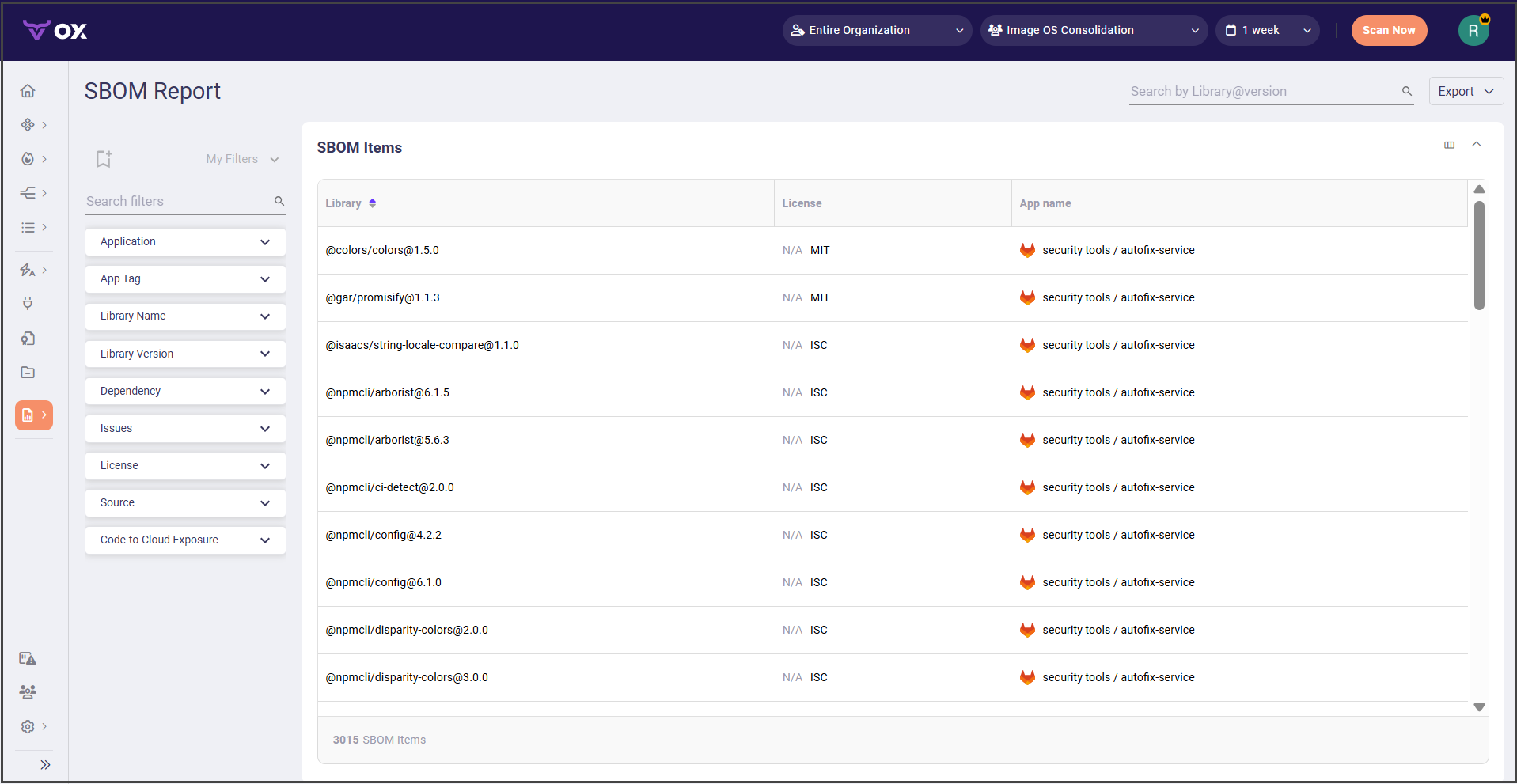
## SBOM Report
SBOM Report provides an inventory of your software components in your software bill of materials, mainly third party and open sources.
You can share this view with managers and customers to demonstrate license compliance by showing whether each component meets its legal obligations..
The SBOM items table lists all SBOM components with details such as library name, license status, source, application, and so on. You can click  above the SBOM Items table and select which columns to present in the table.
To focus on the items you need, you can use [filters](#filtering-report-info).
## Filtering report info
The following filter options are available in both reports:
| Filter name | Description |
| -------------------------- | ------------------------------------------------- |
| **Application** | Filters components by application |
| **App Tag** | Filters components by app tag |
| **Library Name** | Filters components by library name |
| **Library Version** | Filters components by library version |
| **Dependency** | Filters components by dependency type |
| **Issues** | Filters components by SBOM issue status |
| **License** | Filters components by license status |
| **Source** | Filters components by source |
| **Code-to-Cloud Exposure** | Filters components by exposure path to cloud code |
## Exporting info
The following export options are available in both reports:
| Option | Description |
| ----------------------- | ------------------------------------------------------------------- |
| **Export as PDF** | Generates a PDF file of the report, including charts and tables. |
| **Export as CSV** | Generates a CSV file containing raw SBOM data for further analysis. |
| **Export as CycloneDX** | Generates an SBOM in CycloneDX format for import into other tools. |
| **Export as SPDX** | Generates an SBOM in SPDX format for import into other tools. |
> **Note:** By default, the exported report includes all columns from the SBOM Items table. If you hide any columns in your custom view, the export reflects those changes.
---
# Agent Instructions
This documentation is published with GitBook. GitBook is the documentation platform designed so that both humans and AI agents can read, navigate, and reason over technical content effectively. Learn more at gitbook.com.
## Querying This Documentation
If you need additional information that is not directly available in this page, you can query the documentation dynamically by asking a question.
Perform an HTTP GET request on the current page URL with the `ask` query parameter, and the optional `goal` query parameter:
```
GET https://docs.ox.security/generate-reports/built-in-reports/sbom-reports.md?ask=&goal=
```
`ask` is the immediate question: it should be specific, self-contained, and written in natural language.
`goal` is optional and describes the broader end goal you are ultimately trying to accomplish on behalf of the user. GitBook uses it to tailor the answer towards what is most useful for that goal.
The response will contain a direct answer to the question and relevant excerpts and sources from the documentation.
Use this mechanism when the answer is not explicitly present in the current page, you need clarification or additional context, or you want to retrieve related documentation sections.
 above the SBOM Items table and select which columns to present in the table.