Sentinel One

Sentinel One (Singularity) is an endpoint security platform that detects, prevents, and responds to threats across laptops, servers, and cloud workloads.

By integrating Sentinel One's Singularity™ Vulnerability Management with OX, you centralize endpoint findings alongside code, container, pipeline, and cloud signals already in OX. OX ingests Sentinel One data on a schedule and on demand, enriches it with OX context (application mapping, workflows, compliance), and presents a unified queue for investigation and reporting.

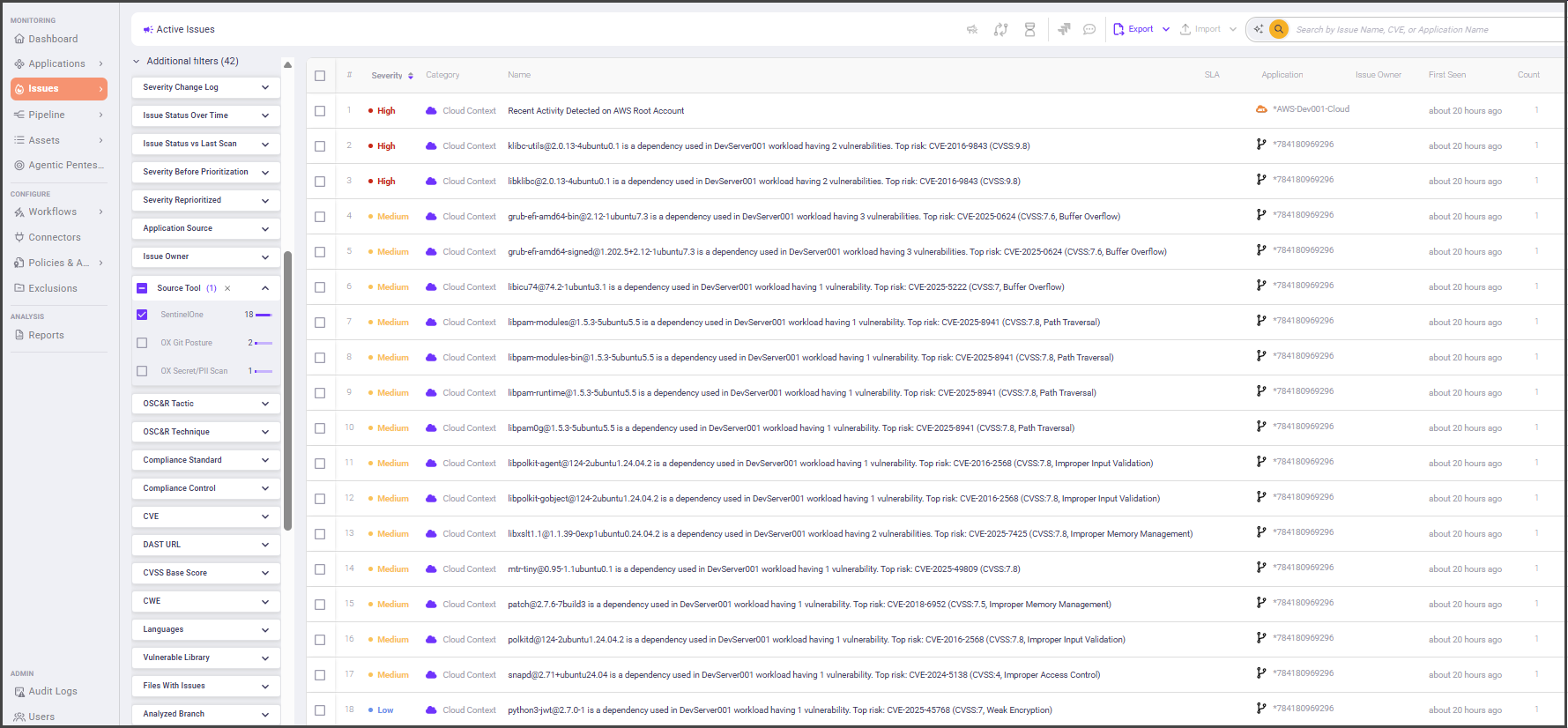
After connecting, you will see Sentinel One results in Issues > Active issues (filter Source tool = SentinelOne) and on relevant Application pages. The connector imports data only; it does not run scans in Sentinel One.

What OX adds

  • Context and correlation: OX maps Sentinel One vulnerability data to affected applications and services to show impact and ownership.

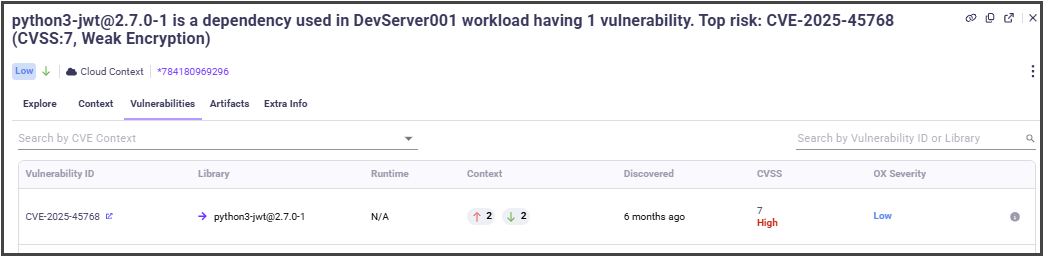
  • Prioritization with severity factors: OX may reprioritize vendor severities when exploitability and environment context reduce risk. For example, the following screencapture shows that in the Sentinel One the issue was evaluated as High severity, and due to OX severity factors, the issue was reprioritized and now it is a Low priority issue.

  • Evidence at a glance: When available, OX displays vendor evidence and links alongside OX analytics to speed triage.

Terminology mapping

SentinelOne term
What it includes (examples)
OX equivalent

Vulnerabilities

OS/package CVEs on endpoints and workloads

Issues (Vulnerabilities category)

Management URL

Base URL of your Singularity Operations Center tenant

Connector field: Management URL

API Token

Token generated in My Profile

Connector field: API token

Prerequisites

  • Sentinel One Singularity Operations Center account with access to My Profile.

Step 1: Generate a SentinelOne API token [Sentinel One]

  1. Log in to Singularity Operations Center.

  2. In the top right, select Your username > My Profile.

  3. Select Actions > API Token Operations > Generate API token.

  4. When prompted, enter your Two-Factor Authentication code and select Confirm.

  5. In the API Token window, select Copy API Token, then Close.

  6. Paste and save the token in a secure location.

Note After generation, your Actions > API Token Operations menu includes Revoke API Token and Regenerate API Token.

Best practice Save the token in a secrets manager and set a reminder to regenerate it before it expires.

Step 2: Connect SentinelOne to OX [OX]

  1. In OX, go to Connectors.

  2. Search for Sentinel One.

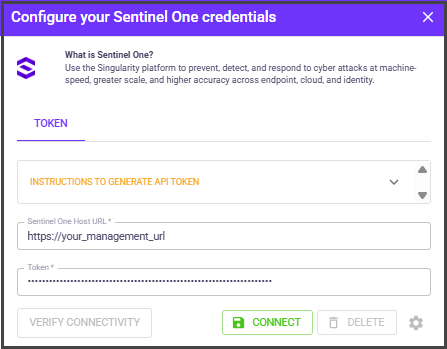
Enter the following:

Field
What to use

Sentinel One Host URL

The host URL of your SentinelOne Management account (your_management_url). To find your Management URL, view the URL in your browser while signed into the Singularity Operations Center. For example: If your dashboard URL is https://usea1-partners.sentinelone.net/dashboardarrow-up-right , then Management URL will be https://usea1-partners.sentinelone.netarrow-up-right

API token

The token you generated in Step 1.

  1. Select Connect. OX validates the credentials. When connected, OX begins scheduled imports. You can also trigger a manual sync from the connector card.

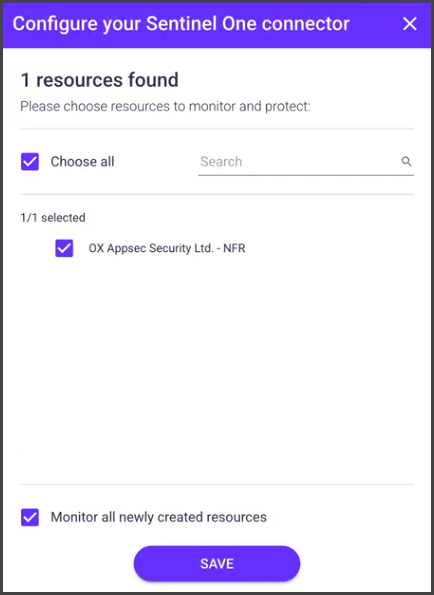
  2. To select specific resources for scanning by OX platform, select the gear icon next to DELETE.

  3. Select the resources you want to protect.

  1. Select SAVE.

Last updated