> For the complete documentation index, see [llms.txt](https://docs.ox.security/llms.txt). Markdown versions of documentation pages are available by appending `.md` to page URLs; this page is available as [Markdown](https://docs.ox.security/ox-policies/open-source-security-policies.md).

# Manual Upload Policies

Manual Upload policies support tracking of security issues identified outside of automated scanning. The policy enables teams to record and store external findings in OX.

The article describes the policies in this category, configuration options, and the impact of policy violations. For an overview of policies and policy management, see the [Policies ](https://docs.ox.security/ox-policies)article.

## **View and manage Manual Upload policies** <a href="#view-and-manage-code-security-policies" id="view-and-manage-code-security-policies"></a>

Open each policy to view the business impact and optional settings.

<details>

<summary><mark style="color:purple;">Manual issues upload</mark></summary>

**Purpose:** Grants visibility of findings from third-party tools that are yet to be supported by OX connectors.

**Business impact:** Gaps in identifying vulnerabilities can delay remediation and weaken overall risk management.

<figure><img src="https://884876233-files.gitbook.io/~/files/v0/b/gitbook-x-prod.appspot.com/o/spaces%2FdK3XMLdV8zRg847RmGmZ%2Fuploads%2Fgit-blob-b3ab79718227e17f0a777528ac1e6b888fd43320%2FManual%20issue%20upload.png?alt=media" alt=""><figcaption></figcaption></figure>

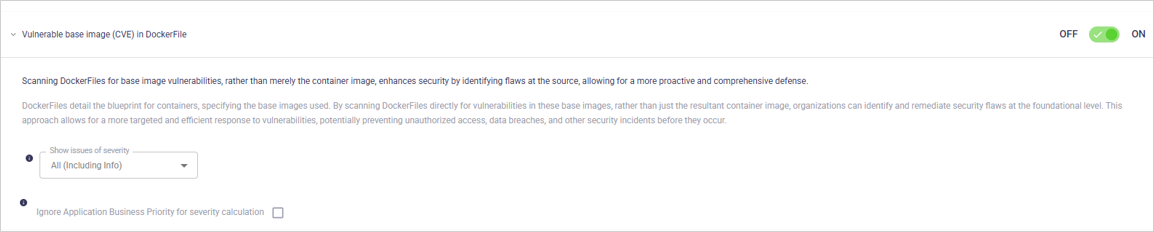
<table><thead><tr><th width="215" valign="top">Setting</th><th width="298" valign="top">Description</th><th valign="top">Default</th></tr></thead><tbody><tr><td valign="top">ON/OFF (toggle)</td><td valign="top">Enable/disable the policy.</td><td valign="top">ON</td></tr><tr><td valign="top">Show issues of severity (dropdown)</td><td valign="top">Limits which severities appear as issues.</td><td valign="top">All (including Info)</td></tr></tbody></table>

</details>

## View policy issues

1. Open the Active Issues page.
2. Use the **Category** filter and select the policy category to view related active issues.
3. Use the **Policy** filter to narrow the list to a specific policy.
4. Apply the Category and Policy filters separately or together, depending on how specific you want the results to be.
5. Use the search box to refine results, such as filtering by file name, keyword, or rule identifier.

## Create or save policy profiles

You can also view affected dependencies on the SBOM page or in an application’s Issues tab.

When you change a policy’s severity, ON/OFF toggle or any other setting, you must save the current profile or create a new one.

* To save the current profile, click **SAVE** in the page header.
* To create a new profile, click **SAVE AS** in the page header. For instructions, see the section [Create or edit policy profiles ](https://open-2c.gitbook.com/url/preview/site_RHimt/~/revisions/esBak1HVuTgsCEeNbzHE/policies?theme=light#create-or-edit-policy-profiles)in the [Policies ](/ox-policies/policies.md)article.


---

# Agent Instructions
This documentation is published with GitBook. GitBook is the documentation platform designed so that both humans and AI agents can read, navigate, and reason over technical content effectively. Learn more at gitbook.com.

## Querying This Documentation
If you need additional information that is not directly available in this page, you can query the documentation dynamically by asking a question.

Perform an HTTP GET request on the following URL with the `ask` and `goal` query parameters:

```
GET https://docs.ox.security/ox-policies/open-source-security-policies.md?ask=<question>&goal=<user_goal>
```

`ask` is the immediate question: it should be specific, self-contained, and written in natural language.
`goal` is what the user is ultimately trying to achieve, the reason they need the answer. Sharing it helps GitBook give you a better, more relevant answer. A goal is most helpful when it describes the outcome the user wants rather than restating the question. For example, with `ask=how do I create an API token`, a goal like `build a script that syncs our docs to a CMS` lets GitBook tailor the answer to that use case.

The response will contain a direct answer to the question and relevant excerpts and sources from the documentation.

Use this mechanism when the answer is not explicitly present in the current page, you need clarification or additional context, or you want to retrieve related documentation sections.