> For the complete documentation index, see [llms.txt](https://docs.ox.security/llms.txt). Markdown versions of documentation pages are available by appending `.md` to page URLs; this page is available as [Markdown](https://docs.ox.security/ticketing-and-messaging/ticket-management/asana.md).
# Asana Ticketing
Asana is a powerful work management platform that helps teams organize, track, and manage their projects and tasks efficiently.
With features like task assignments, project timelines, collaboration tools, and automation, Asana enables teams to stay aligned and productive, ensuring smooth project execution from start to finish.
Integrating OX Security with Asana brings security into the heart of your project management workflow, ensuring that security issues are tracked and resolved alongside other development tasks, as follows:
* **Automated Security Task Creation**: Security vulnerabilities detected by OX Security can be automatically logged as tasks in Asana, ensuring they are addressed without delay.
* **Improved Collaboration**: Developers, security teams, and project managers can work together seamlessly by managing security-related tasks within their existing Asana workflows.
* **Enhanced Visibility and Tracking**: Security issues are prioritized alongside other work, giving teams clear visibility into security risks and their resolution status.
* **Better Compliance and Risk Management**: By tracking security-related tasks within Asana, organizations can maintain compliance and reduce security risks proactively.
## Prerequisites
* Asana account
## Getting Asana Token
1. Log in to your Asana account.
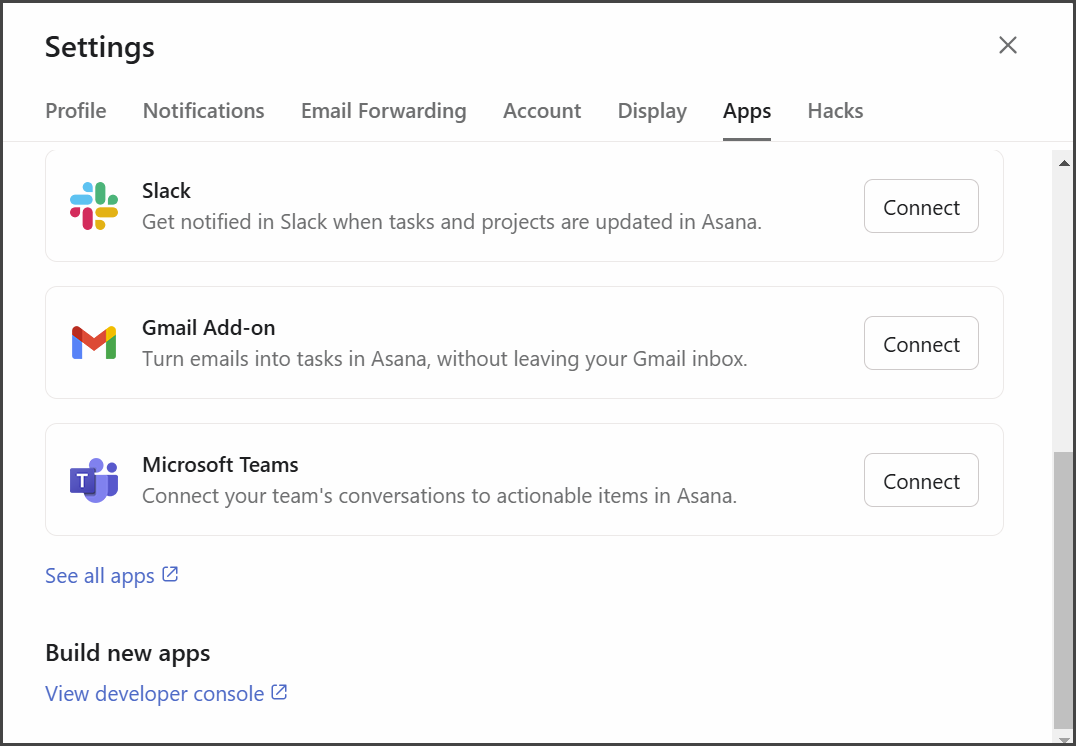
2. Click your profile picture in the top-right corner and select **Settings**, then select **Apps**.
3. Click **View developer console**.
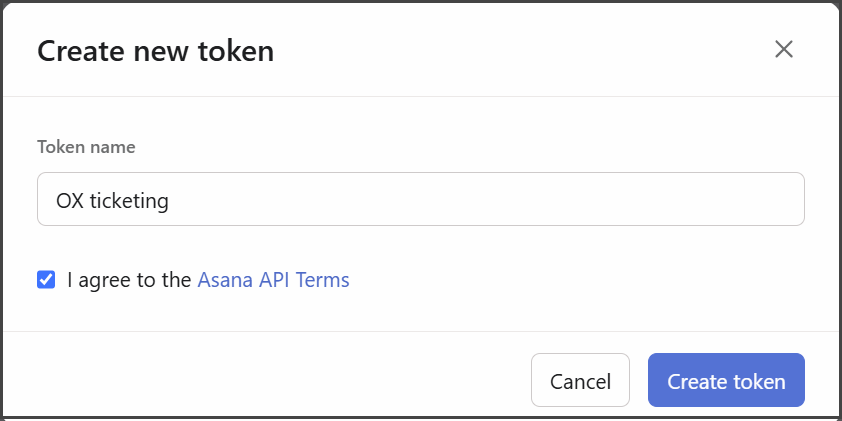
4. Select + **Create new token**.
5. Add token details:
| **Token name** | A significant name that makes it easy to identify the purpose of the token. |
| ---------------------------------- | --------------------------------------------------------------------------- |
| **I agree to the Asana API Terms** | To read the terms, click **Asana API Terms** and then select the option. |
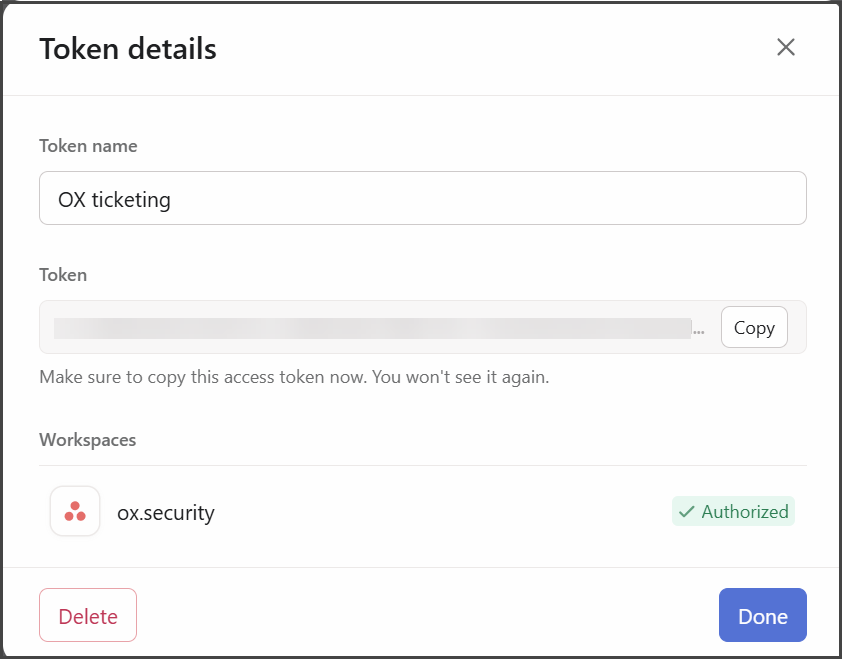
6. Select **Create token**.
7. Copy the token and store it in a different location. After closing this dialog you cannot see it again.
## Connecting to Asana
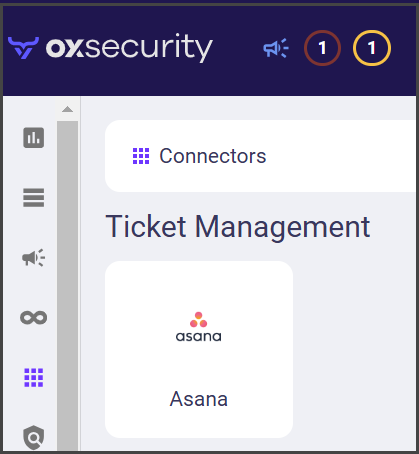
1. In the **OX app**, go to **Connectors** and search for Asana.
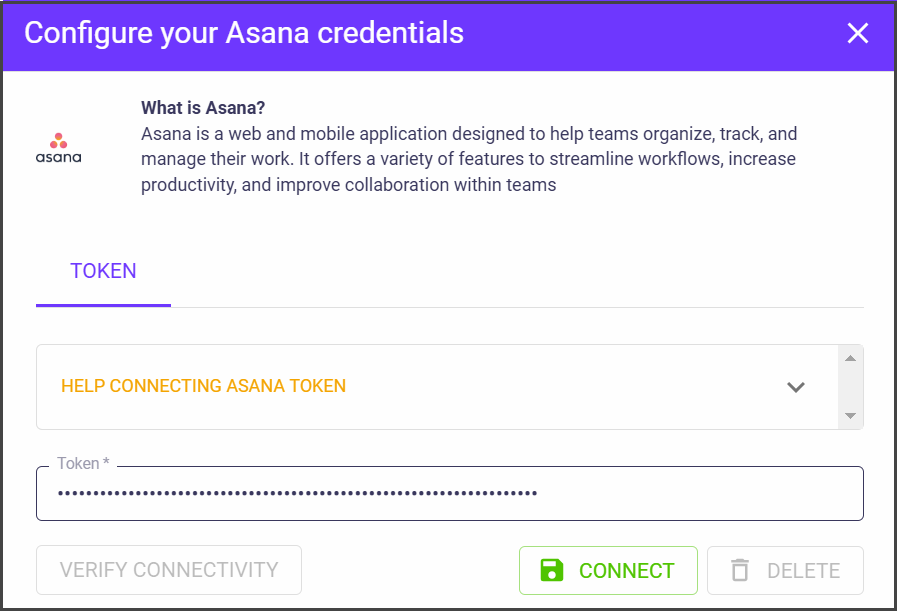
2. Select **Asana**. The **Configure your Asana credentials** dialog appears.
2. Select **CONNECT**. The Asana connector is configured.
## Adding Asana Tickets
After establishing the connection with Asana, you can add Asana tickets to tasks and issues in OX using one of the following methods:
* Adding a new ticket to an issue, or bulk of issues.
* Adding a new ticket as a scheduled task using workflows.
**To add a new Asana ticket in OX:**
1. In the **Issues** page, identify and select the issue for which you want to add a new ticket in Asana.
2. Select the Asana icon.
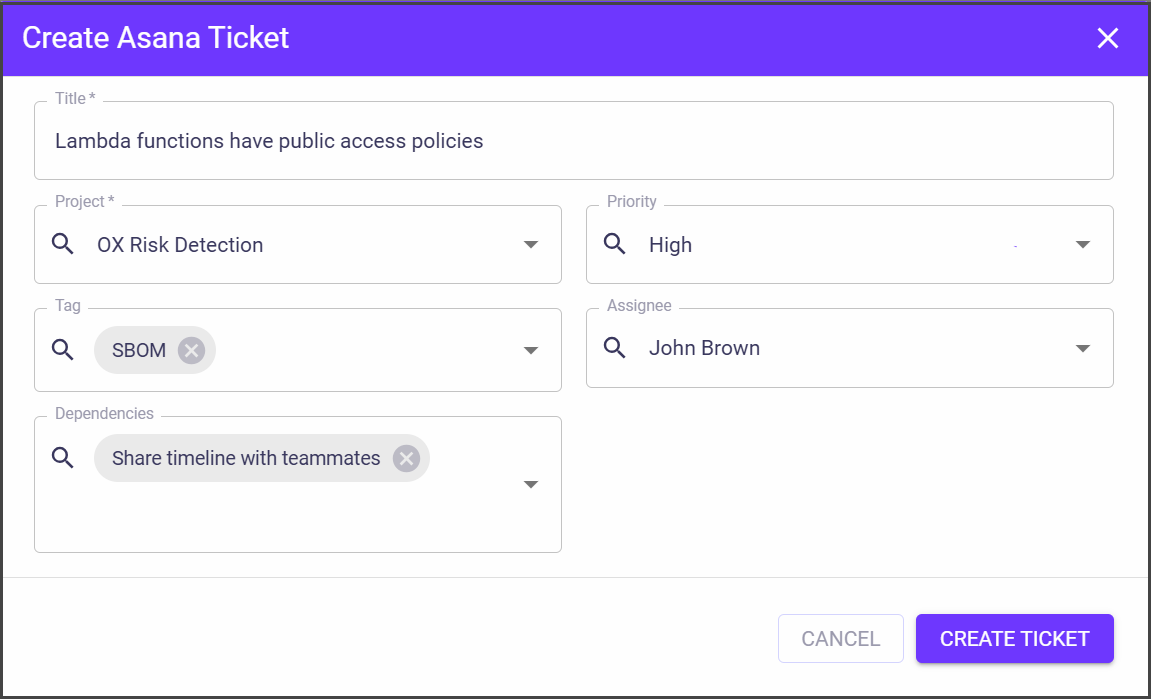
3. Set the ticket details in the **Create Asana Ticket** dialog and select CREATE TICKET.
| Parameter | Description |
| ---------------- | ------------------------------------------------------------------------------------------------------------- |
| **Title** | The title of the ticket that describes the problem/issue. |
| **Project** | The name of the project, as it's defined in Asana. |
| **Priority** | Set the priority that you think should be assigned to this ticket. |
| **Assignee** | Set the team member who will work on the ticket. |
| **Tags** | Add tags for ticket classification. You can add only default Asana tags or tags that you have added in Asana. |
| **Dependencies** | Here you can add other Asana tickets that are related to/dependent on this ticket. |
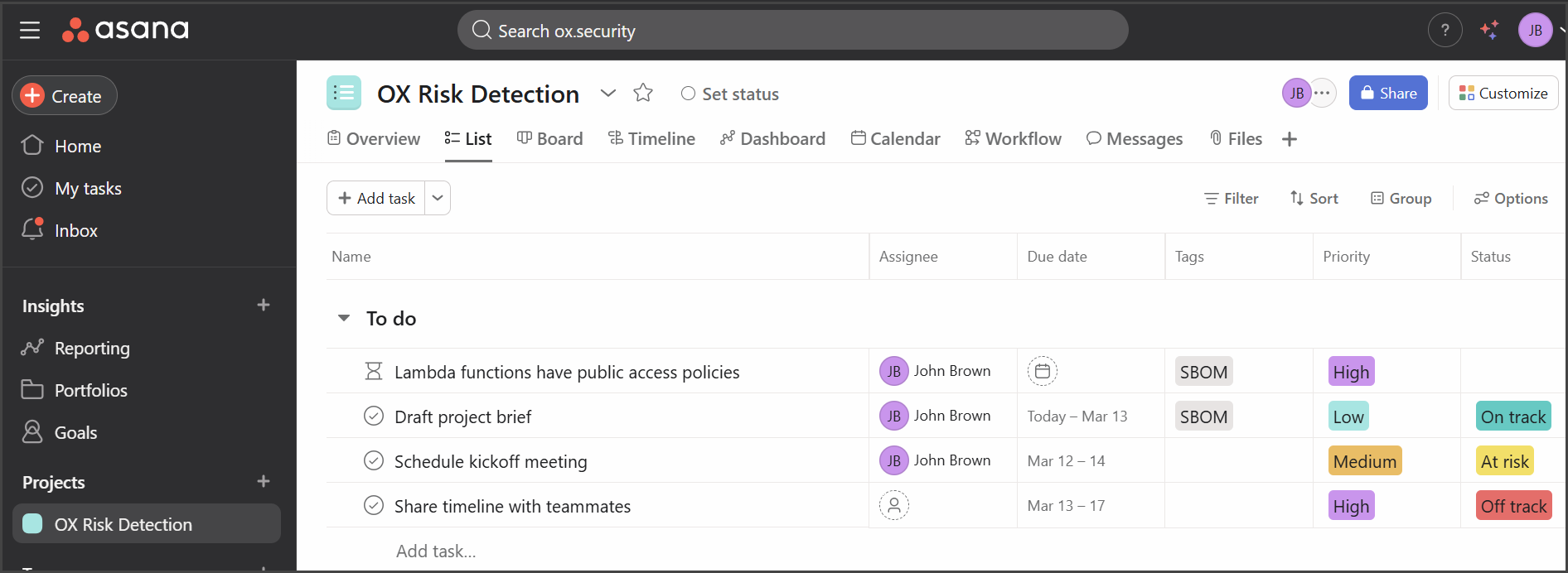
The new ticket appears in Asana.
---
# Agent Instructions
This documentation is published with GitBook. GitBook is the documentation platform designed so that both humans and AI agents can read, navigate, and reason over technical content effectively. Learn more at gitbook.com.
## Querying This Documentation
If you need additional information that is not directly available in this page, you can query the documentation dynamically by asking a question.
Perform an HTTP GET request on the current page URL with the `ask` query parameter, and the optional `goal` query parameter:
```
GET https://docs.ox.security/ticketing-and-messaging/ticket-management/asana.md?ask=&goal=
```
`ask` is the immediate question: it should be specific, self-contained, and written in natural language.
`goal` is optional and describes the broader end goal you are ultimately trying to accomplish on behalf of the user. GitBook uses it to tailor the answer towards what is most useful for that goal.
The response will contain a direct answer to the question and relevant excerpts and sources from the documentation.
Use this mechanism when the answer is not explicitly present in the current page, you need clarification or additional context, or you want to retrieve related documentation sections.
.png?alt=media)