> For the complete documentation index, see [llms.txt](https://docs.ox.security/llms.txt). Markdown versions of documentation pages are available by appending `.md` to page URLs; this page is available as [Markdown](https://docs.ox.security/vibesec/agent-guidelines.md).
# Agent Guidelines
Agent guidelines are secure coding instructions that OX provides to AI coding agents to help them generate code without introducing vulnerabilities.
When a developer submits a prompt to an AI coding agent, OX analyzes the prompt and determines which vulnerabilities could potentially be introduced by implementing the requested functionality. OX then returns the relevant secure coding guidance based on the predicted vulnerability and the programming language being used.
The guidance is provided to the AI coding agent before code generation begins and is applied automatically in the background. As a result, the agent generates code using secure implementation patterns from the outset, reducing the likelihood of introducing security vulnerabilities.
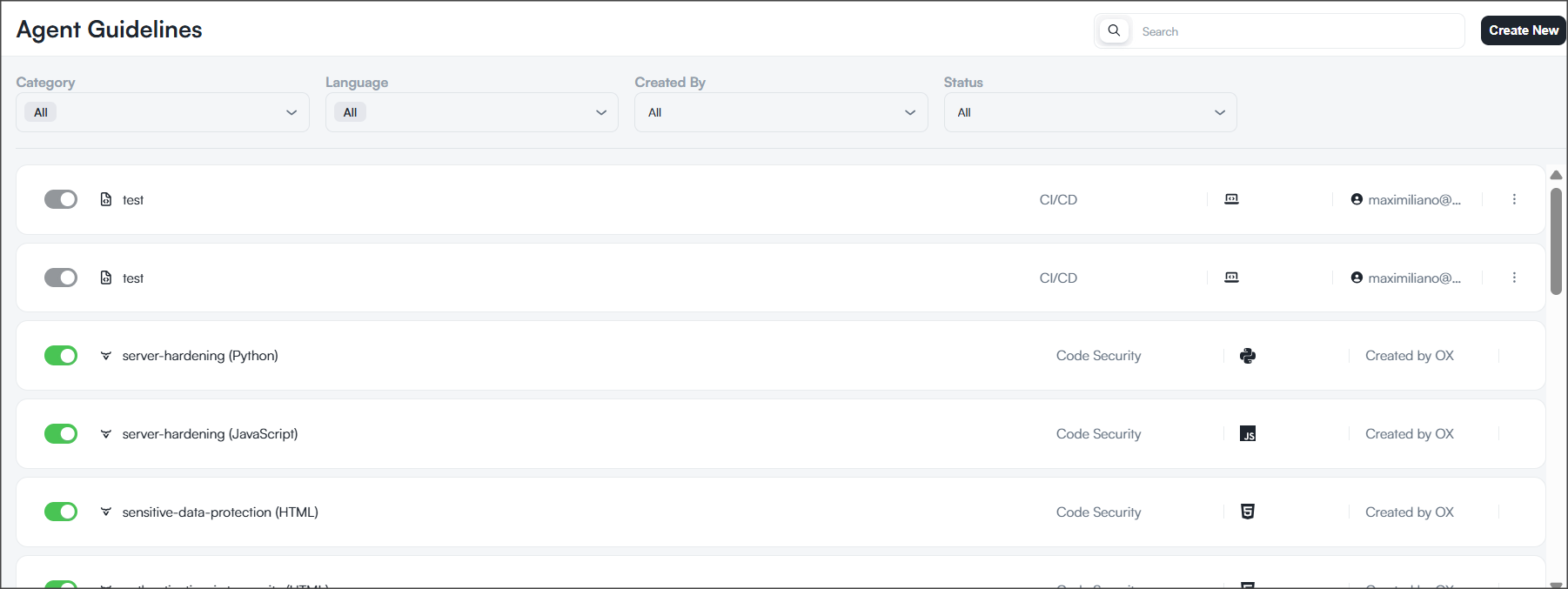
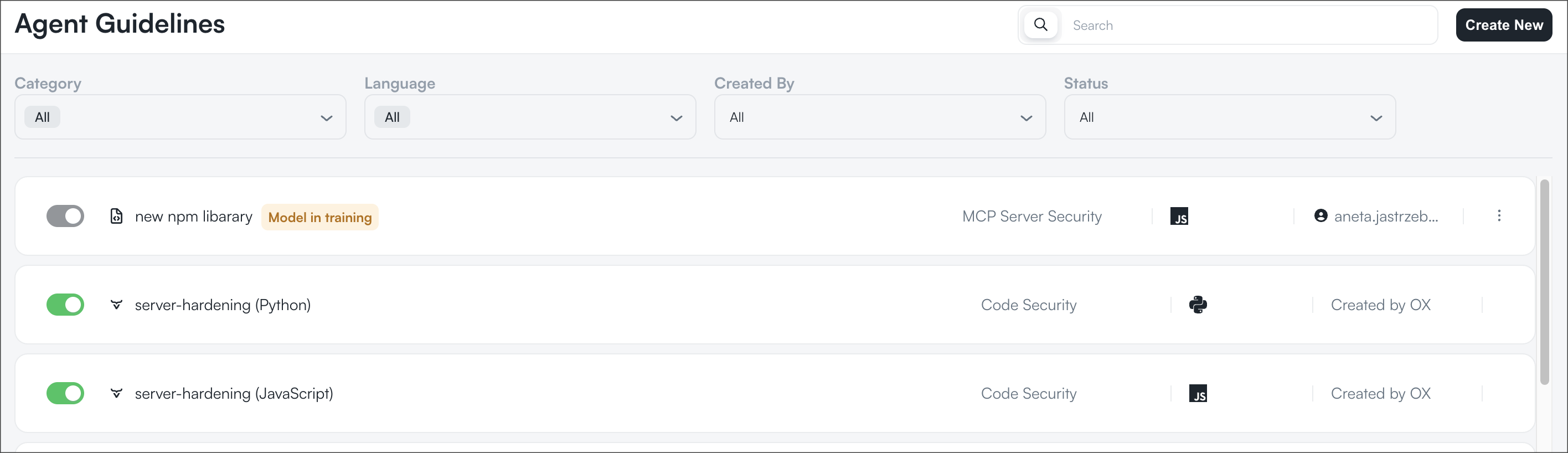
The Agent Guidelines page shows all guidelines available to your organization's AI coding agents. Each guideline targets a specific vulnerability and programming language combination.
The Agent Guidelines page shows all guidelines available to your organization's AI coding agents. Each guideline targets a specific vulnerability and programming language combination.
In addition to the built-in guidelines provided by OX, you can create custom guidelines that reflect your organization's security requirements. Custom guidelines allow you to define when a guideline should be applied and what secure coding instructions should be provided to AI coding agents when the specified conditions are met.
## Guidelines list
Use the filters and search box above the list to find specific guidelines.
| Column | Description |
| ---------- | ------------------------------------------------------------------------------------------------------------------------------------------------------------------------------------------------------------------------------------------------------------ |
| Toggle | Enables or disables the guideline. Enabled guidelines can be applied to AI coding agents when their activation criteria are met. Disabled guidelines are ignored. Guidelines that are still training cannot be enabled or disabled until training completes. |
| Name | The guideline name and target language. |
| Category | The category the guideline belongs to, such as **Code Security** or **CI/CD**. |
| Language | The programming language the guideline targets. |
| Created By | Indicates whether the guideline was provided by OX or created by your organization. |
| Actions | Opens additional actions for the guideline. |
## Filtering guidelines
| Field | Description |
| ---------- | ---------------------------------------------------------------------------------------------------------------------------- |
| Category | Filters guidelines by category. Select **All** to display guidelines from all categories. |
| Language | Filters guidelines by programming language. Select **All** to display guidelines for all supported languages. |
| Created By | Filters guidelines by author. Select **All** to display both OX-provided and custom guidelines. |
| Status | Filters the list by guideline status (**Enabled**, **Disabled**, or **Training**). Select **All** to display all guidelines. |
| Search | Searches for guidelines by name. |
## Creating custom guidelines
In addition to the OX-provided guidelines, you can create custom security guidelines that enforce your organization's secure coding requirements.
**To create a custom guideline:**
1. On the **Agent Guidelines** page, select **Create New**.
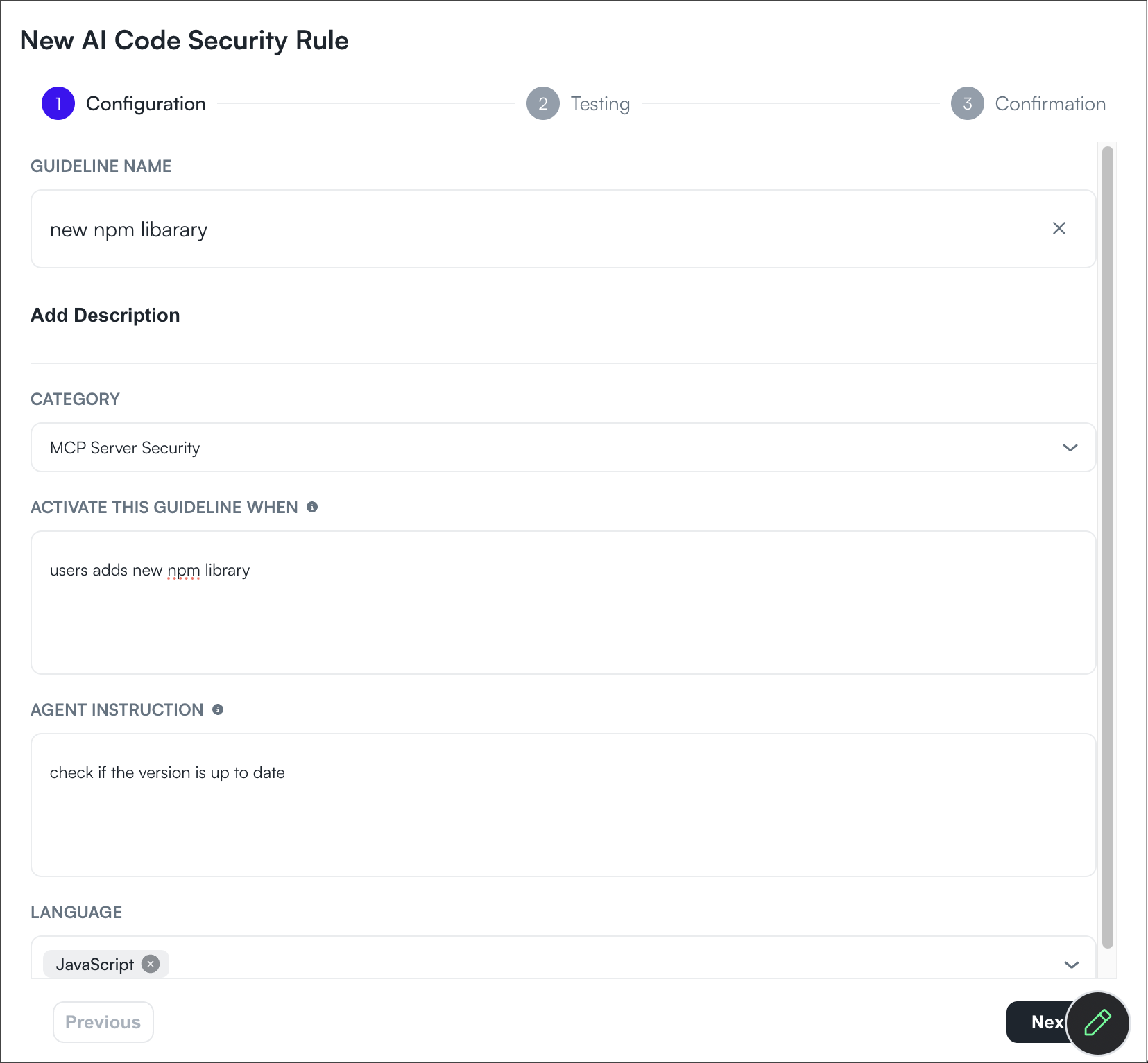
2. Enter the guideline information:
| Field | Description |
| -------------------------------- | -------------------------------------------------------------------------------------------------------------------------------------------------------------- |
| **Guideline Name** | A unique name that identifies the guideline. Choose a descriptive name that reflects the security rule being enforced. |
| **Description** | An optional description that explains the purpose of the guideline. |
| **Category** | The security category the guideline belongs to. Categories help organize guidelines by the type of security concern they address. |
| **Activate this guideline when** | Defines the condition that triggers the guideline. OX evaluates developer prompts against this condition to determine whether the guideline should be applied. |
| **Agent Instruction** | Defines the secure coding instruction that OX provides to the AI coding agent when the guideline is triggered. |
| **Language** | Specifies the programming language or languages that the guideline applies to. The guideline is evaluated only for prompts targeting the selected languages. |
3. Select **Next**.
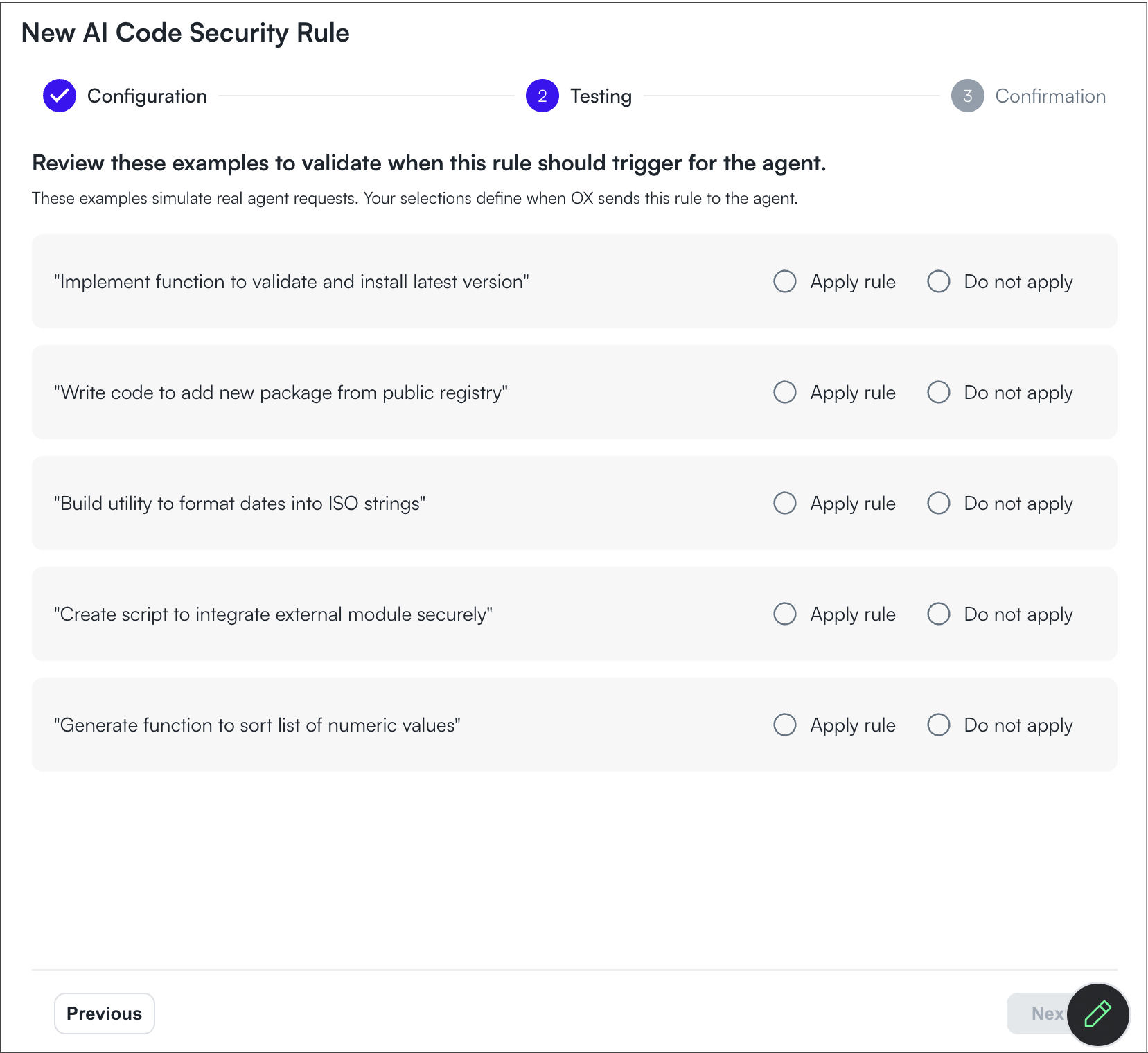
4. Review and fine-tune when the guideline should be applied.
5. Select **Next**.
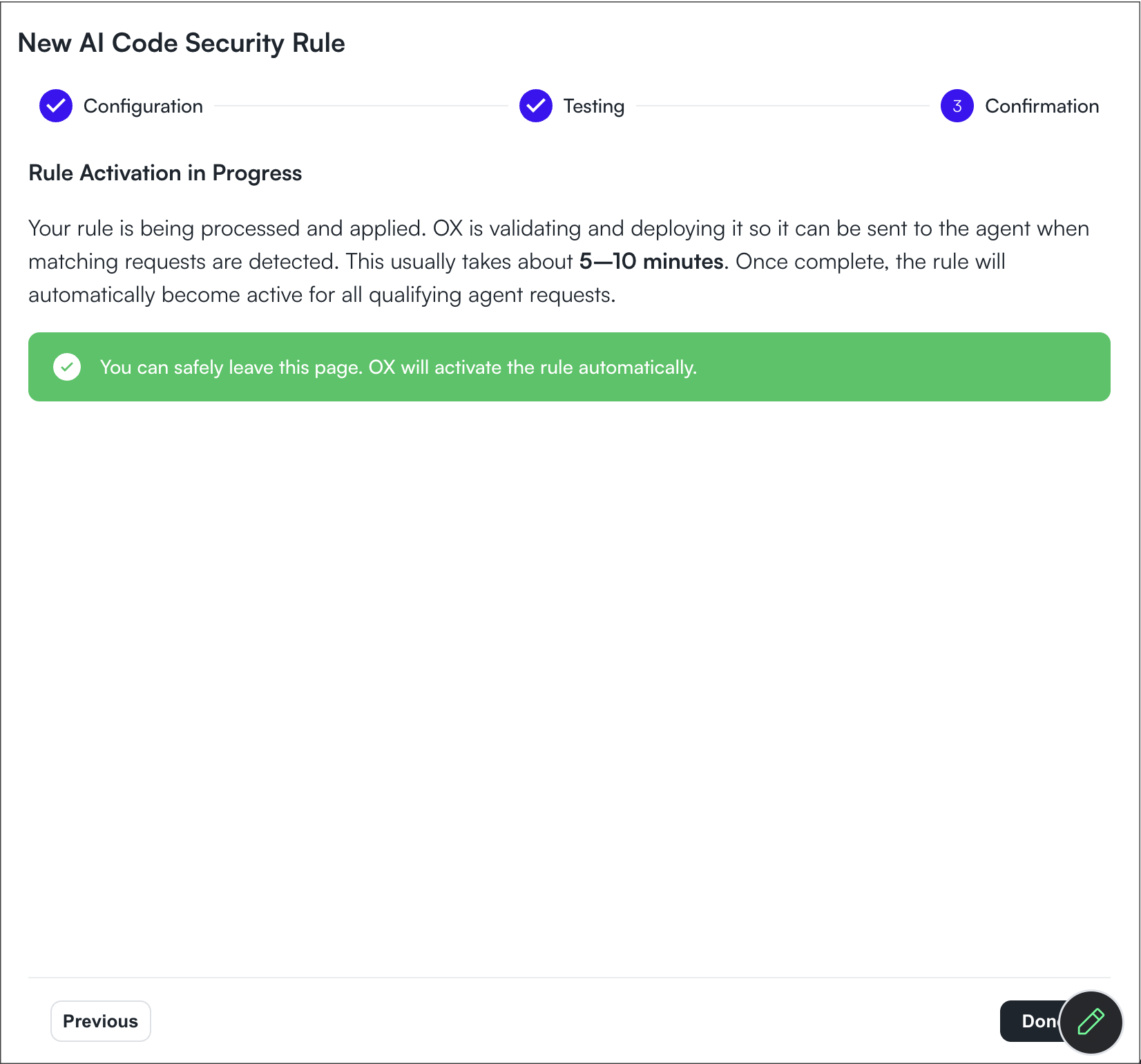
6. Review the configuration and select **Done** to create the guideline.
After the guideline is created, OX trains its detection model before the guideline becomes available.
### Guideline training
New custom guidelines initially appear with the **Training** status.
During this stage, OX trains the detection model that identifies prompts matching the guideline's activation criteria. Training typically completes within several minutes.
After training finishes:
* The guideline is automatically enabled.
* The Training status disappears.
* The guideline becomes available for AI coding agents.
---
# Agent Instructions
This documentation is published with GitBook. GitBook is the documentation platform designed so that both humans and AI agents can read, navigate, and reason over technical content effectively. Learn more at gitbook.com.
## Querying This Documentation
If you need additional information that is not directly available in this page, you can query the documentation dynamically by asking a question.
Perform an HTTP GET request on the current page URL with the `ask` query parameter, and the optional `goal` query parameter:
```
GET https://docs.ox.security/vibesec/agent-guidelines.md?ask=&goal=
```
`ask` is the immediate question: it should be specific, self-contained, and written in natural language.
`goal` is optional and describes the broader end goal you are ultimately trying to accomplish on behalf of the user. GitBook uses it to tailor the answer towards what is most useful for that goal.
The response will contain a direct answer to the question and relevant excerpts and sources from the documentation.
Use this mechanism when the answer is not explicitly present in the current page, you need clarification or additional context, or you want to retrieve related documentation sections.