> For the complete documentation index, see [llms.txt](https://docs.ox.security/llms.txt). Markdown versions of documentation pages are available by appending `.md` to page URLs; this page is available as [Markdown](https://docs.ox.security/fix-with-ox/ai-remediation.md).
# AI Remediation
> **Note:** This capability is currently in Early Access (EA) and is not generally available. To request access, please contact OX technical support.
OX AI Remediation allows fixing security issues faster and more efficiently by providing tailored and AI-generated fix suggestions directly in your workflows.
Instead of receiving general guidance, you can now get precise recommendations and even ready-to-apply code changes based on the exact issue information, as follows:
* Providing a detailed explanation and fix per occurrence of the issue in case of aggregations.
* Generating suggested code changes automatically.
* Allowing developers to apply fixes directly from the Git platform and IDE.
### Supported Issue Types
Currently available for a subset of Code Security issues, specifically focused on JavaScript, Java, Python, C#, and with a severity level of Medium or higher.
## How It Works
1. **Issue Detection and Aggregation:** When OX detects a security issue in the code, it identifies all occurrences (aggregations). Each aggregation is analyzed separately to generate a contextual explanation and fix.
2. **AI-Generated Fixes:** For each issue, AI generates a fix suggestion tailored to the specific code segment. The suggestion includes a description, a recommendation, and a remediation proposal.
3. **Your Actions:** Depending on the interface.
### **AI suggestions in Git (GitHub, GitLab)**
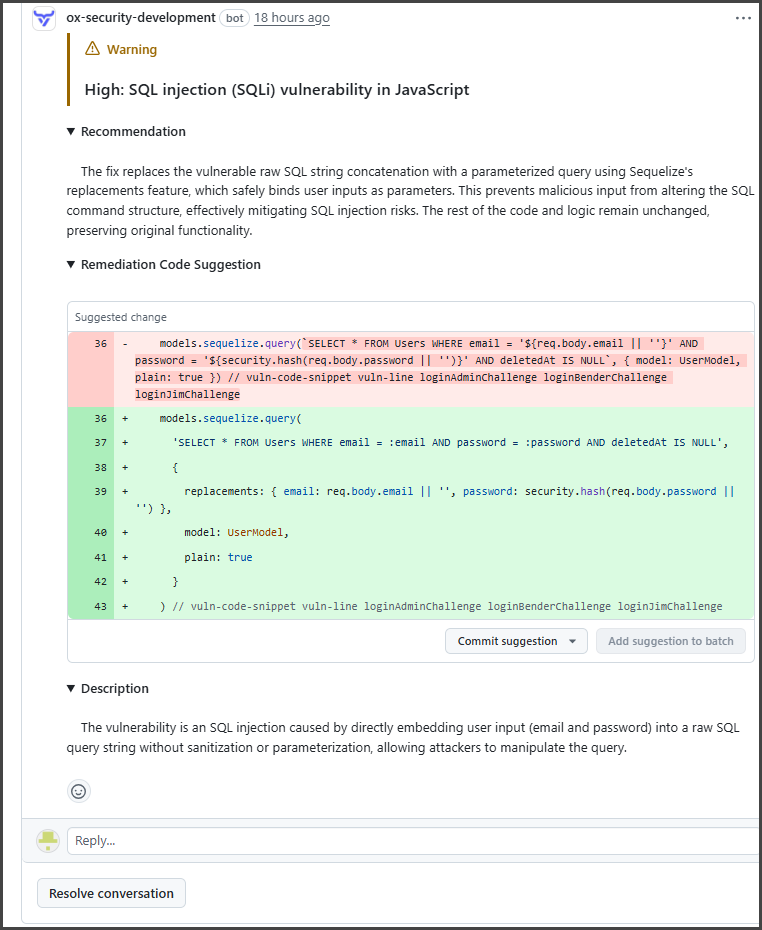
AI suggestions are added as comments in the pull/merge request.
* **Commit Suggestion:** Applies the fix directly.
* **Add Suggestion to Batch:** Collects multiple fixes to apply in one commit.
### **AI suggestions in IDE Extension**
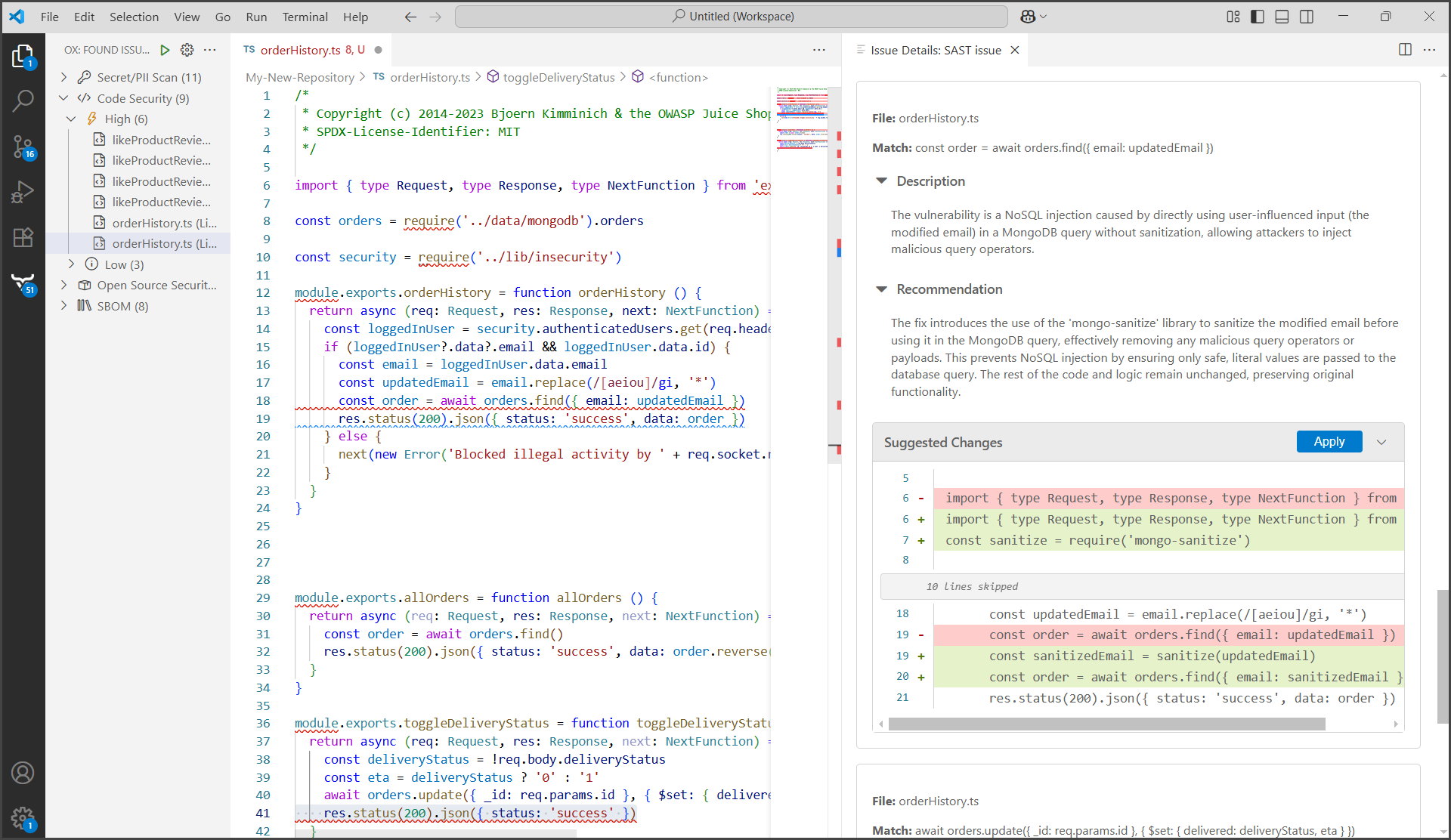
Issues appear with the full AI-generated description and fix.\
You can apply the fix for each aggregation from within the environment.
### **AI suggestions in OX UI**
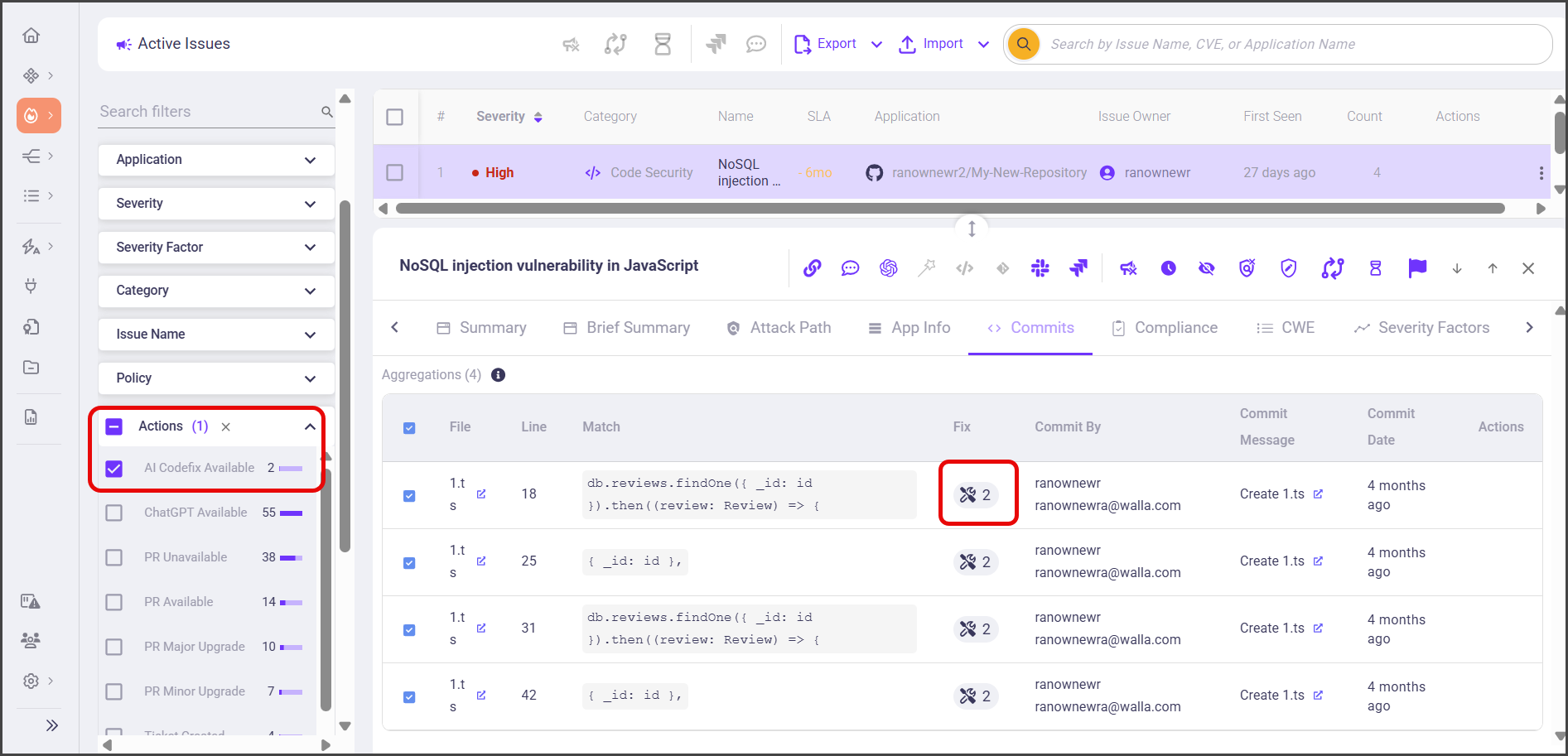
1. In the **Active Issues** page, go to **Filters** and select **Actions > AI Codefix Available**.
2. Select an issue for which you want to get suggestions and go to issue's **Commits**.
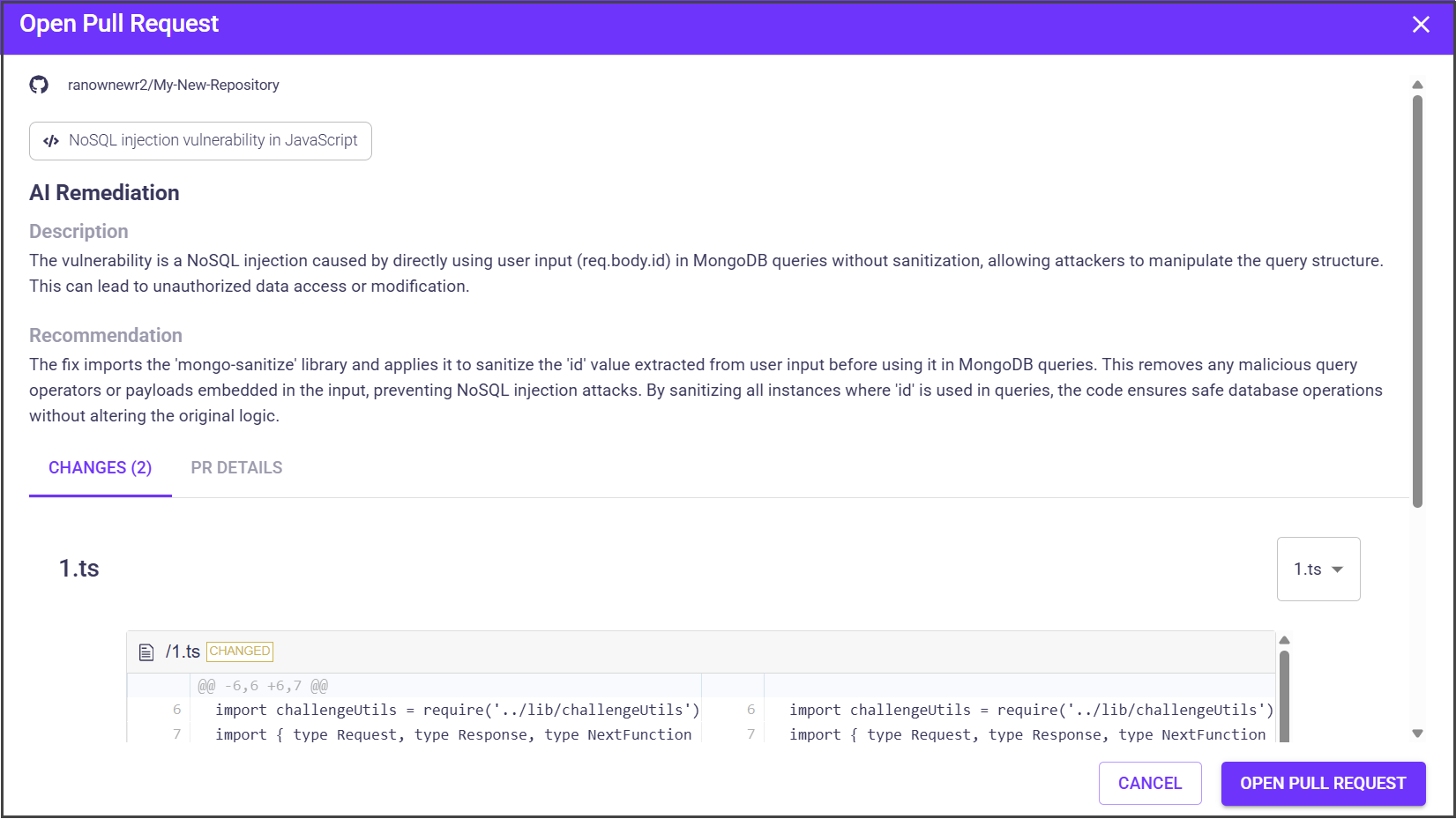
3. Select a fix for the specific commit. AI Remediation suggestion appears.
## Disabling AI Remediation
The capability is enabled by default for customers who have requested access to this beta version. You can disable it at any moment.
**To disable AI Remediation:**
1. In the OX platform, go to **Settings > AI**.
2. In the **AI Settings** tab, disable the option that you want.
> **Note:** Refer to [AI Privacy](/fix-with-ox/ai-remediation/ai-privacy.md) for information on AI Remediation capability privacy.
---
# Agent Instructions
This documentation is published with GitBook. GitBook is the documentation platform designed so that both humans and AI agents can read, navigate, and reason over technical content effectively. Learn more at gitbook.com.
## Querying This Documentation
If you need additional information that is not directly available in this page, you can query the documentation by asking a question.
Perform an HTTP GET request on the following URL with the `ask` and `goal` query parameters:
```
GET https://docs.ox.security/fix-with-ox/ai-remediation.md?ask=&goal=
```
`ask` is the immediate question: it should be specific, self-contained, and written in natural language.
`goal` is what the user is ultimately trying to achieve, the reason they need the answer. Sharing it helps GitBook give you a better, more relevant answer. A goal is most helpful when it describes the outcome the user wants rather than restating the question. For example, with `ask=how do I create an API token`, a goal like `automate deployments from our CI pipeline` lets GitBook tailor the answer to that use case.
The response will contain a direct answer to the question and relevant excerpts and sources from the documentation.
Use this mechanism when the answer is not explicitly present in the current page, you need clarification or additional context, or you want to retrieve related documentation sections.
.png?alt=media)