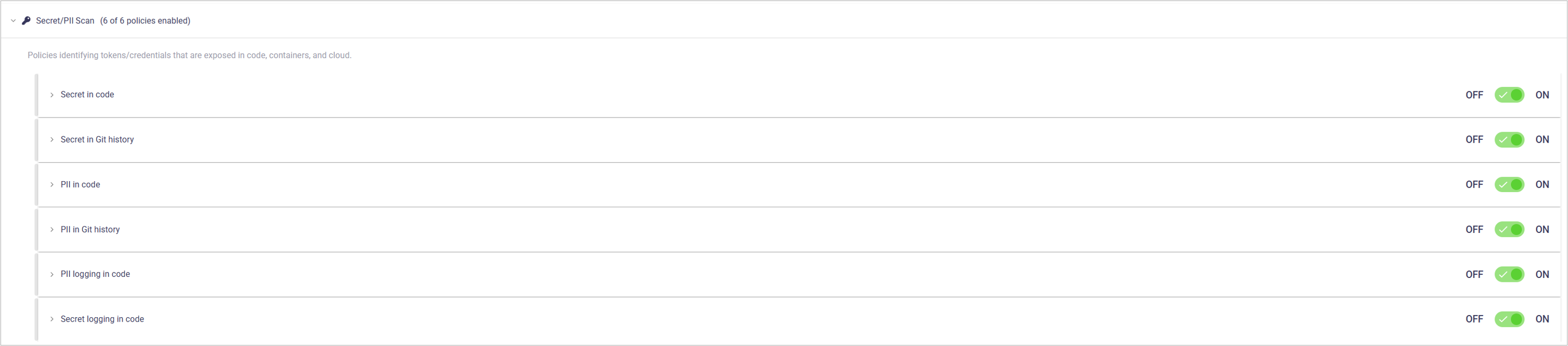

Secret and PII Scan Policies

Secret and PII Scan policies detect exposure of sensitive information within source code, version history, and application logs. These policies focus on identifying hardcoded secrets, personally identifiable information, and unsafe logging practices. Effective detection reduces the risk of data breaches, privacy violations, and regulatory non-compliance.

The article describes the policies in this category, configuration options, and the impact of policy violations. For an overview of policies and policy management, see the Policies arrow-up-rightarticle.

View and manage Secret and PII Scan policies

Open each policy to view the business impact and optional settings.

chevron-rightPII in codehashtag

Purpose: Detects personally identifiable information (PII) embedded directly in application source code.

Business impact: Hardcoded PII exposes sensitive user data and increases the risk of privacy violations. This can result in non-compliance with data protection regulations and associated legal penalties. Disclosure of PII also harms user trust and organizational reputation.

Setting
Description
Default

ON/OFF (toggle)

Enable/disable the policy.

ON

Show issues of severity (dropdown)

Limits which severities appear as issues.

All (including Info)

chevron-rightPII in Git historyhashtag

Purpose: Detects personally identifiable information (PII) present in Git commit history.

Business impact: PII in version history exposes sensitive user data even after code changes remove it. This increases the risk of privacy violations and regulatory non-compliance. Persistent exposure in history can also damage user trust and organizational reputation.

Setting
Description
Default

ON/OFF (toggle)

Enable/disable the policy.

ON

Show issues of severity (dropdown)

Limits which severities appear as issues.

All (including Info)

Ignore Application Business Priority for severity calculation (checkbox)

When enabled, severity is not adjusted based on application priority.

OFF

chevron-rightPII logging in codehashtag

Purpose: Detects application code that logs personally identifiable information (PII) during execution.

Business impact: Logged PII can be exposed to users or systems with access to log data. This increases the risk of privacy violations and unauthorized data access. Improper logging can also lead to regulatory non-compliance and reputational damage.

Setting
Description
Default

ON/OFF (toggle)

Enable/disable the policy.

ON

Show issues of severity (dropdown)

Limits which severities appear as issues.

All (including Info)

chevron-rightSecret in codehashtag

Purpose: Detects secrets such as credentials, tokens, or keys embedded directly in application source code.

Business impact: Hardcoded secrets can be exposed through source code access or repository leaks. Compromised credentials may allow unauthorized access to systems, services, or data. This increases the likelihood of security breaches and operational impact.

Setting
Description
Default

ON/OFF (toggle)

Enable/disable the policy.

ON

Show issues of severity (dropdown)

Limits which severities appear as issues.

All (including Info)

Ignore Application Business Priority for severity calculation (checkbox)

When enabled, severity is not adjusted based on application priority.

ON

chevron-rightSecret in Git historyhashtag

Purpose: Detects secrets present in Git commit history, including values removed from the current codebase.

Business impact: Secrets in version history remain accessible and can be exploited even after remediation. Active credentials may allow unauthorized access to internal systems or services. This increases the risk of long-term compromise and data breaches.

Setting
Description
Default

ON/OFF (toggle)

Enable/disable the policy.

ON

Show issues of severity (dropdown)

Limits which severities appear as issues.

All (including Info)

Ignore Application Business Priority for severity calculation (checkbox)

When enabled, severity is not adjusted based on application priority.

ON

chevron-rightSecret logging in codehashtag

Purpose: Detects application code that writes secrets such as credentials, tokens, or keys to logs.

Business impact: Logged secrets can be accessed by users or systems with log visibility. Exposed credentials may enable unauthorized access to applications, infrastructure, or data. This increases the risk of security breaches and compliance violations.

Setting
Description
Default

ON/OFF (toggle)

Enable/disable the policy.

ON

Show issues of severity (dropdown)

Limits which severities appear as issues.

All (including Info)

View policy issues

  1. Open the Active Issues page.

  2. Use the Category filter and select the policy category to view related active issues.

  3. Use the Policy filter to narrow the list to a specific policy.

  4. Apply the Category and Policy filters separately or together, depending on how specific you want the results to be.

  5. Use the search box to refine results, such as filtering by file name, keyword, or rule identifier.

Create or save policy profiles

When you change a policy’s severity, ON/OFF toggle or any other setting, you must save the current profile or create a new one.

Last updated



