> For the complete documentation index, see [llms.txt](https://docs.ox.security/llms.txt). Markdown versions of documentation pages are available by appending `.md` to page URLs; this page is available as [Markdown](https://docs.ox.security/ox-integrations/3rd-party-integrations/infrastructure-as-code-scan/wiz-cli-iac.md).
# Wiz CLI IaC
{% hint style="info" %}
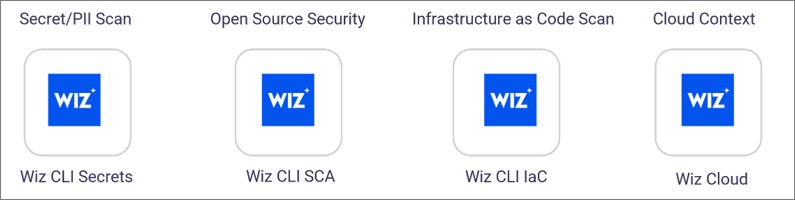
Wiz connects to OX across four categories. This article covers all four types:
* **Secret/PII Scan:** Wiz CLI Secrets
* **Open Source Security:** Wiz CLI SCA
* I**nfrastructure as Code Scan:** Wiz CLI IaC
* **Cloud Context:** Wiz Cloud
{% endhint %}
Integrate Wiz with OX to centralize security findings alongside container, pipeline, cloud, and runtime signals already in OX.
OX scans Wiz on a schedule and on demand, enriches findings with OX context (application mapping, workflows, and compliance), and presents a unified queue for investigation and reporting.
After you connect, Wiz scan results appear on the Active Issues page (use the filter **Source tool > Wiz**).
## What OX adds
* **Context and correlation:** OX maps Wiz findings to applications, services, and teams to show impact and ownership.
* **Prioritization with severity factors:** OX may reprioritize scanner severities when exploitability and environment context reduce risk (for example, Critical → High). Severity factors explain why the priority changed.
* **Evidence at a glance:** When available, OX displays scanner evidence, file locations, and remediation guidance alongside OX analytics to speed triage.
## Connection methods
For general information about connection methods, see the article [Connection methods](/get-started/onboarding-to-ox/source-control/connection-methods.md).
All connection methods use the same Wiz service account credentials: Client ID and Client Secret.
There are four methods to connect Wiz to OX:
* **Wiz CLI Secrets:** Scan for secrets and PII in your codebase through the Wiz CLI.
* **Wiz CLI SCA:** Scan open-source dependencies through the Wiz CLI.
* **Wiz CLI IaC:** Scan Infrastructure as Code configurations for security issues through the Wiz CLI.
* **Wiz Cloud (Cloud Context):** Scan cloud locations and identify critical risks in AWS, Azure, GCP, and Kubernetes. Requires API URL configuration.
For setup instructions, see the main article [Wiz](/ox-integrations/3rd-party-integrations/cloud-context/wiz.md) in the Cloud Context folder.
---
# Agent Instructions
This documentation is published with GitBook. GitBook is the documentation platform designed so that both humans and AI agents can read, navigate, and reason over technical content effectively. Learn more at gitbook.com.
## Querying This Documentation
If you need additional information that is not directly available in this page, you can query the documentation by asking a question.
Perform an HTTP GET request on the following URL with the `ask` and `goal` query parameters:
```
GET https://docs.ox.security/ox-integrations/3rd-party-integrations/infrastructure-as-code-scan/wiz-cli-iac.md?ask=&goal=
```
`ask` is the immediate question: it should be specific, self-contained, and written in natural language.
`goal` is what the user is ultimately trying to achieve, the reason they need the answer. Sharing it helps GitBook give you a better, more relevant answer. A goal is most helpful when it describes the outcome the user wants rather than restating the question. For example, with `ask=how do I create an API token`, a goal like `automate deployments from our CI pipeline` lets GitBook tailor the answer to that use case.
The response will contain a direct answer to the question and relevant excerpts and sources from the documentation.
Use this mechanism when the answer is not explicitly present in the current page, you need clarification or additional context, or you want to retrieve related documentation sections.