> For the complete documentation index, see [llms.txt](https://docs.ox.security/llms.txt). Markdown versions of documentation pages are available by appending `.md` to page URLs; this page is available as [Markdown](https://docs.ox.security/ticketing-and-messaging/ticket-management/servicenow.md).
# ServiceNow
ServiceNow is a leading digital workflow platform that helps organizations manage IT services, operations, and business processes with automation and efficiency. It’s widely used for incident management, change control, and service requests across enterprise environments.
Integrating OX Security with ServiceNow brings security insights directly into your IT operations workflows. Vulnerabilities and security issues detected by OX can be automatically converted into ServiceNow incidents or tasks, allowing IT and security teams to respond faster and more effectively.
**Benefits of the integration include:**
* **Centralized Incident Management:** Track and resolve security issues within the same platform used for IT operations.
* **Faster Response Times:** Automate ticket creation based on real-time vulnerability findings from OX.
* **Improved Collaboration:** Bridge the gap between security and IT teams with shared visibility and accountability.
* **Consistent Workflow:** Align security issue handling with your organization’s existing escalation and resolution processes.
## Adding ServiceNow Tickets
After [establishing the connection with ServiceNow](#connecting-to-servicenow), you can add ServiceNow tickets to tasks and issues in OX using one of the following methods:
* Adding a new ticket to an issue, or bulk of issues.
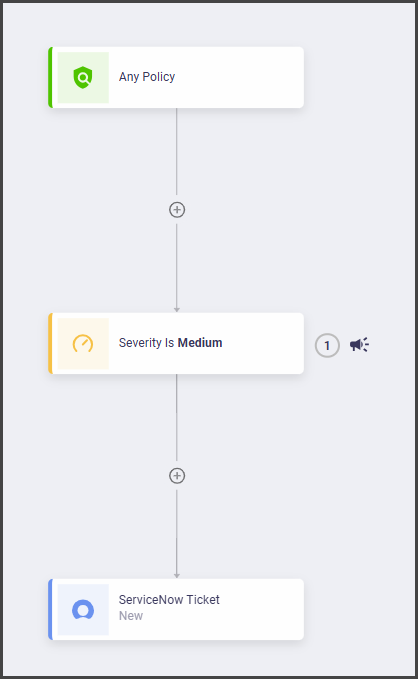
* Adding a new ticket as a scheduled task using workflows.
**To add a new ServiceNow ticket in OX:**
1. In the **Active Issues** page, identify and select the issue for which you want to add a new ticket in ServiceNow.
2. Select the ServiceNow icon.
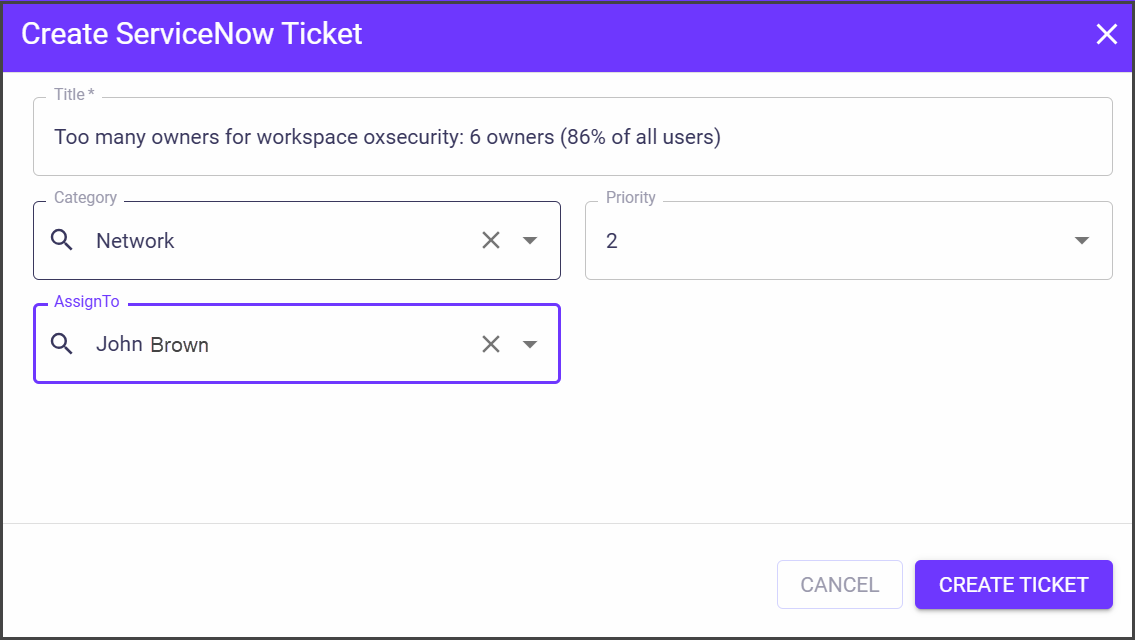
3. Set the ticket details in the **Create ServiceNow Ticket** dialog and select **CREATE TICKET**.
| Parameter | Description |
| --------------- | --------------------------------------------------------- |
| **Title** | The title of the ticket that describes the problem/issue. |
| **Category** | The name of the workspace, as it's defined in Monday. |
| **Assigned To** | Set the team member who will work on the ticket. |
| **Priority** | Set the priority for the ticket |
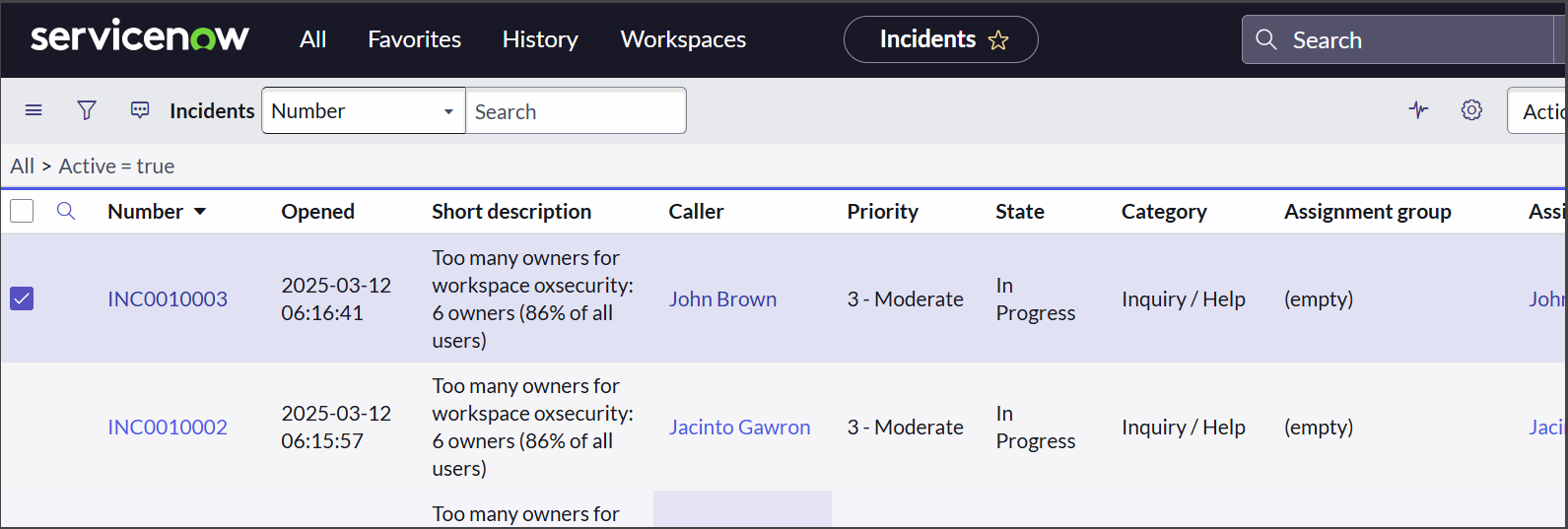
The new ticket appears in ServiceNow.
## Connecting to ServiceNow
### Prerequisites
* ServiceNow admin account.
### Step 1: Create a Dedicated ServiceNow API User
For ServiceNow-OX integrated incident management, you need to [define a new dedicated API user](#create-a-new-api-user) and then [assign this user the required roles and permissions](#assign-required-roles).
#### Create a new API user
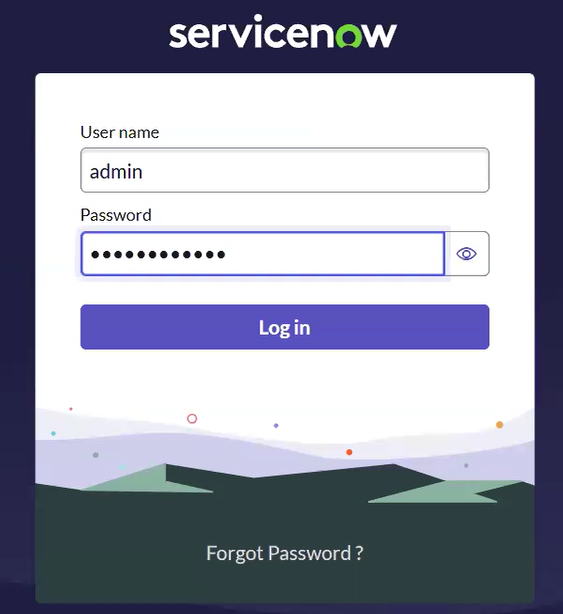
1. Go to and log in to your ServiceNow admin account.
2. Select **Start Building >** **Request Instance**. The process of instace creation takes 5-10 mins).
3. Select **Manage instance password**.
4. Top start using services, click **Instance URL** and use the **Username** and the **Password**.
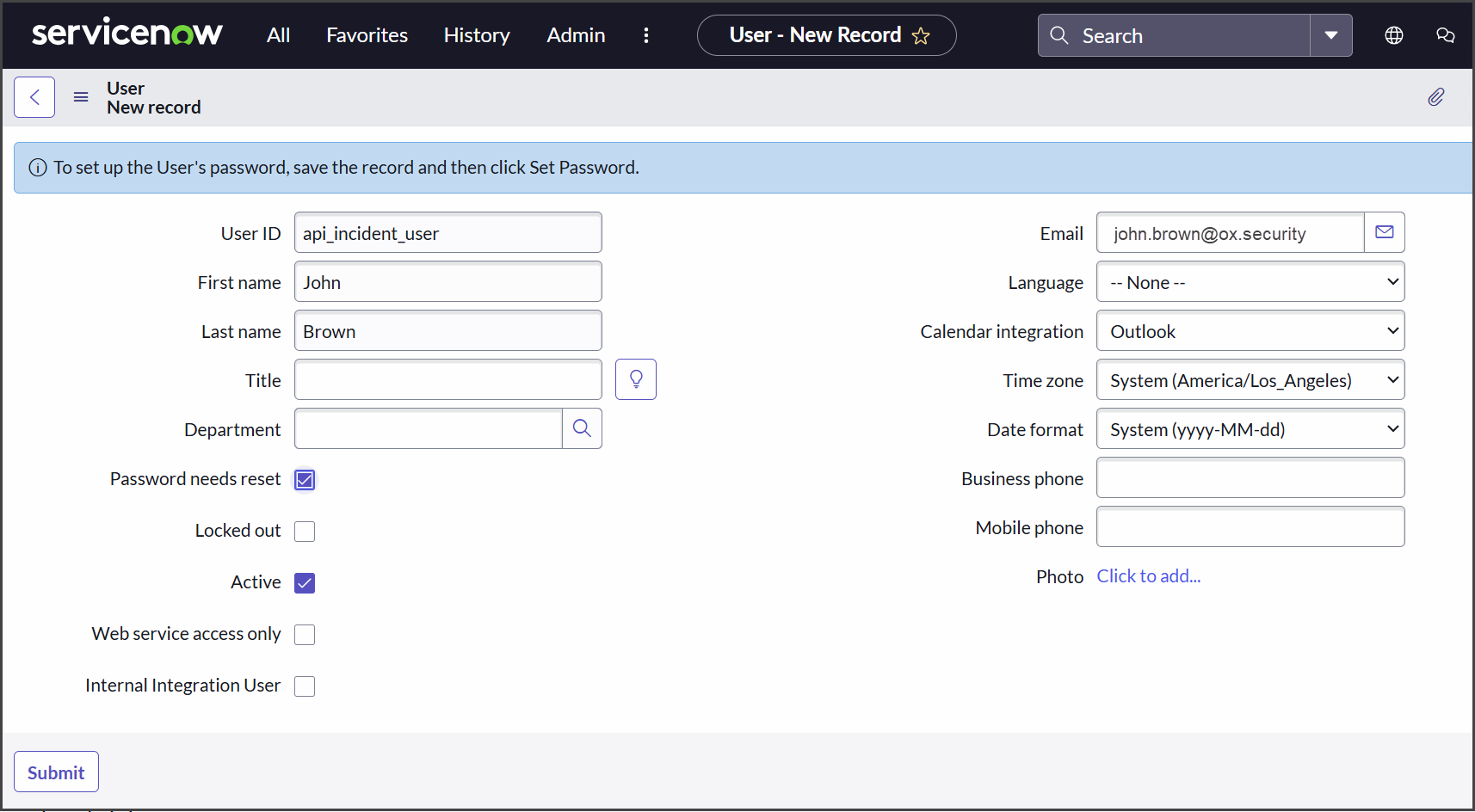
5. From the top menu, select **All > Users** and then in the right top corner, select **New**.
5. Set the following parameters and select **Submit**.
| Parameter | Description |
| ------------------------ | -------------------------------------------------- |
| **User ID** | api\_incident\_user |
| **First Name** | Your first name. |
| **Last Name** | Your last name. |
| **Password needs reset** | Select this checkbox. |
| **Active** | Select this checkbox. |
| **Email** | Type your email address for getting notifications. |
| **Time zone** | Verify that the time zone is correct. |
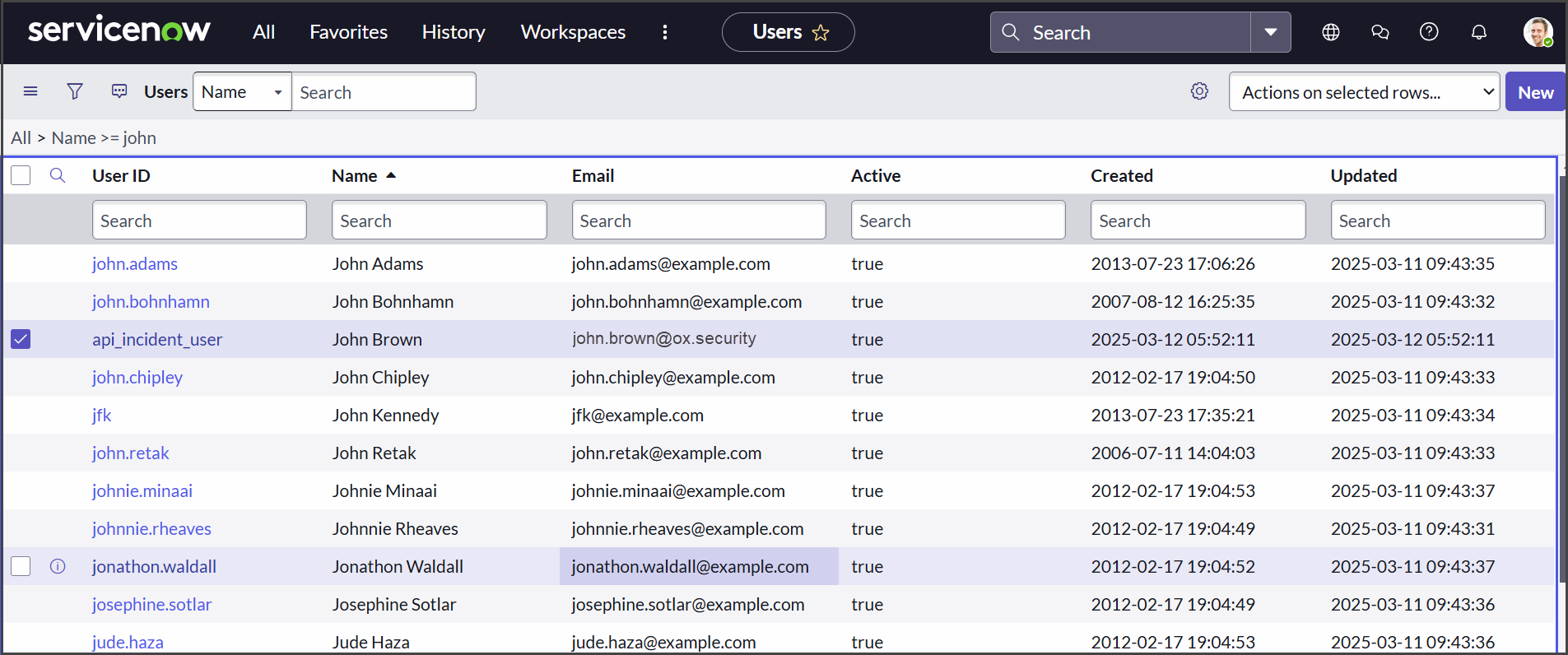
The new user appears in the list of users.
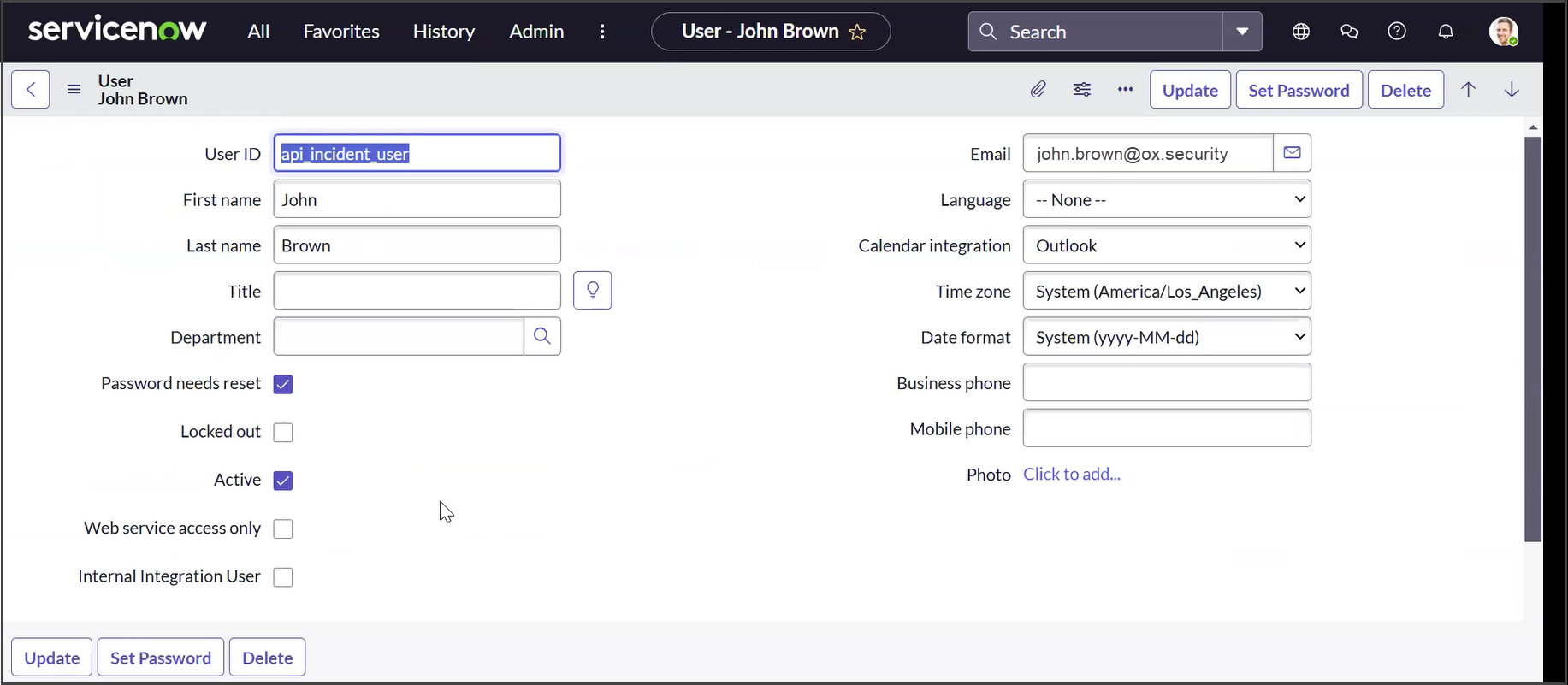
6. Select the desired User ID.
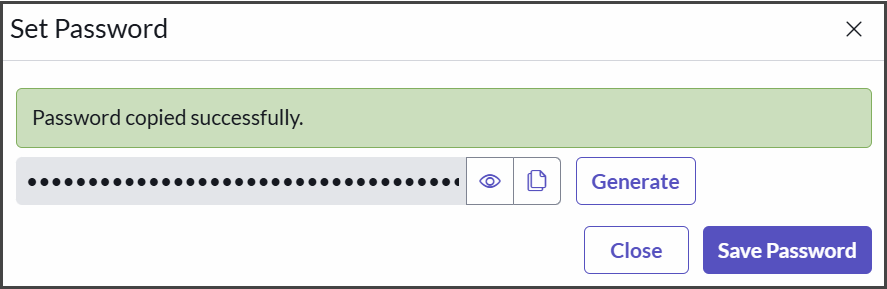
7. Select **Set Password**, then select **Generate**, copy the new password and store it in a safe location.
8. To link the new password to the user, select **Update**.
#### Assign required roles
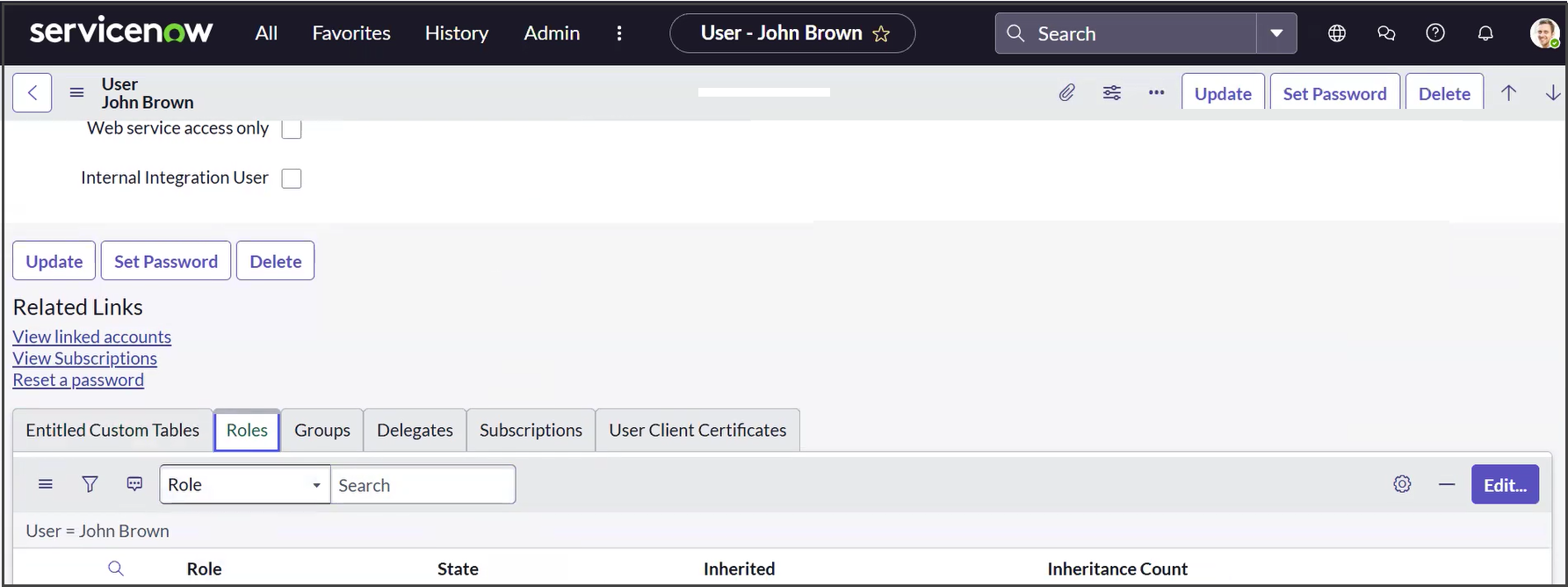
1. In the user definitions page, scroll down and select **Roles > Edit**.
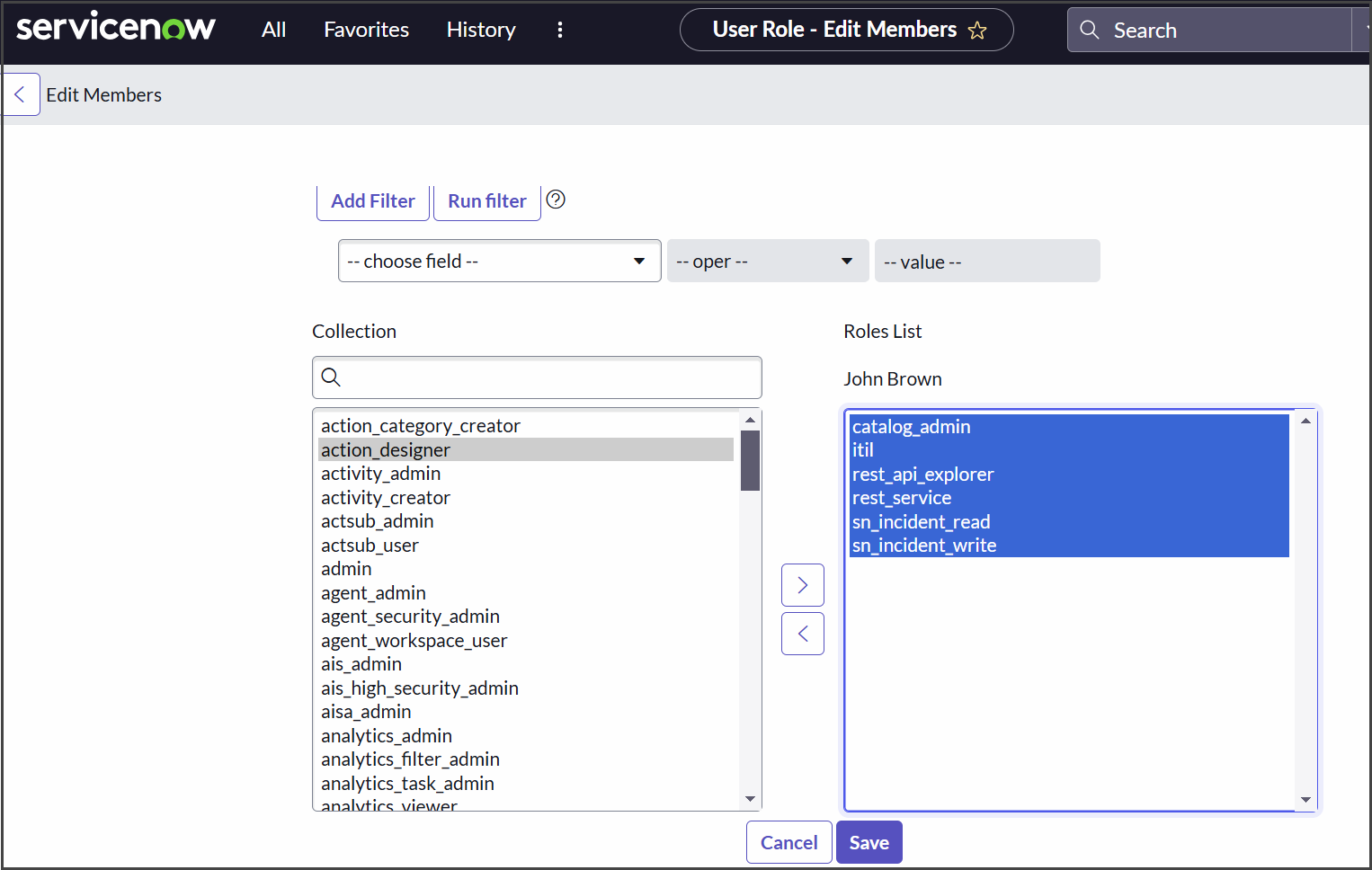
2. Define the roles as follows and then select **Save**.
| Role | Description |
| ------------------- | ------------------------------------ |
| itil | for incident creation and management |
| rest\_service | essential for API access. |
| rest\_api\_explorer | for testing API access |
| catalog\_admin | for category access |
| sn\_incident\_read | for incident reading scope |
| sn\_incident\_write | for incident writing scope |
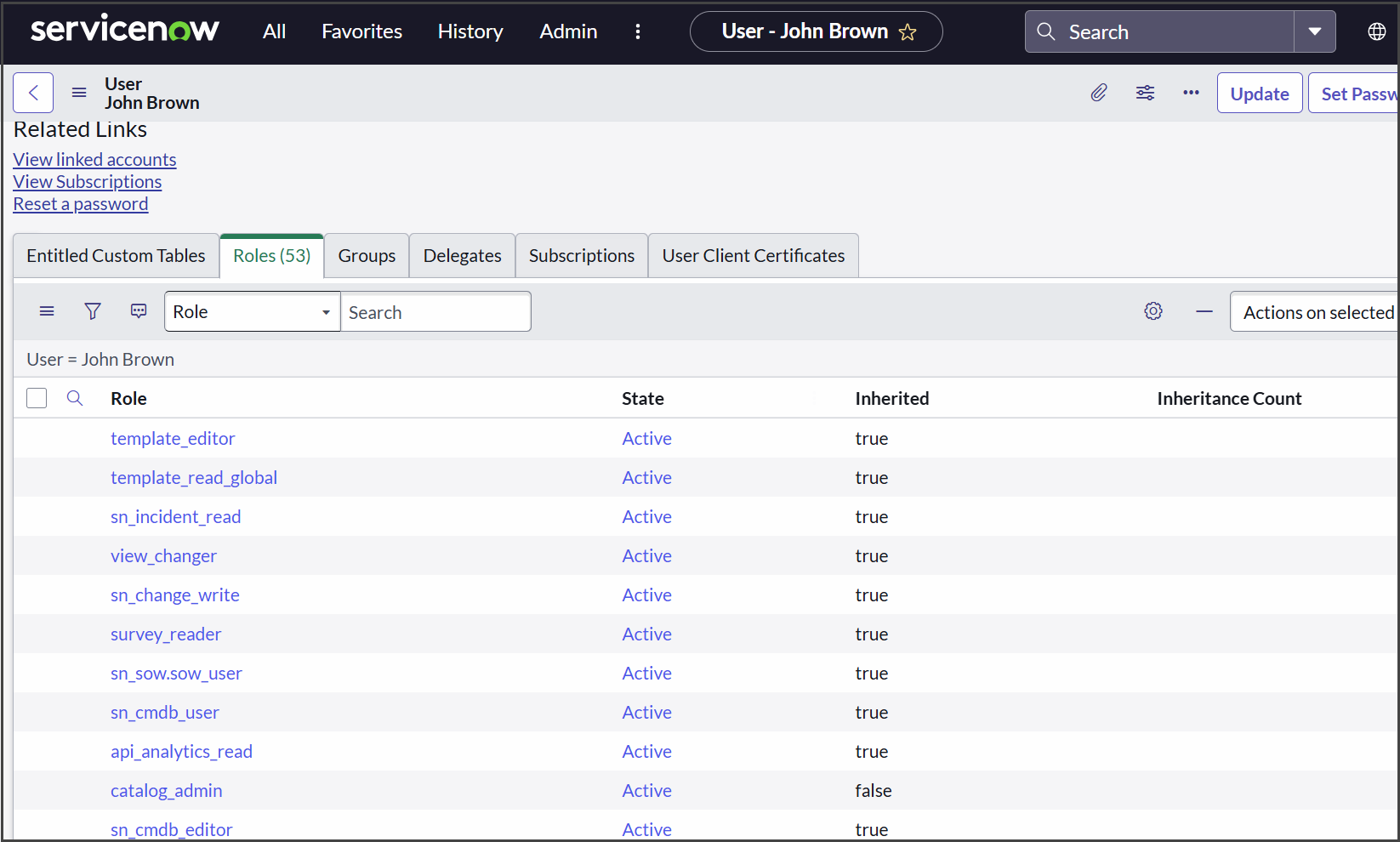
The new services appear in the user defidition page.
### Step 2: Connect to ServiceNow
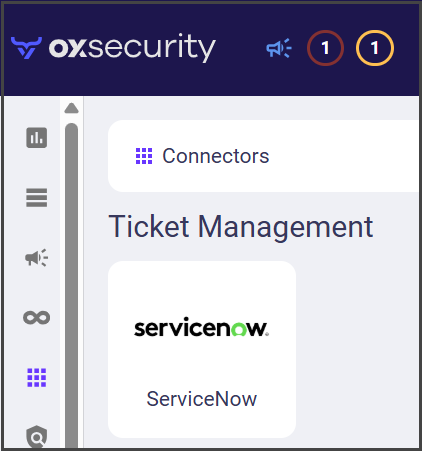
1. In the **OX app**, go to **Connectors** and search for ServiceNow.
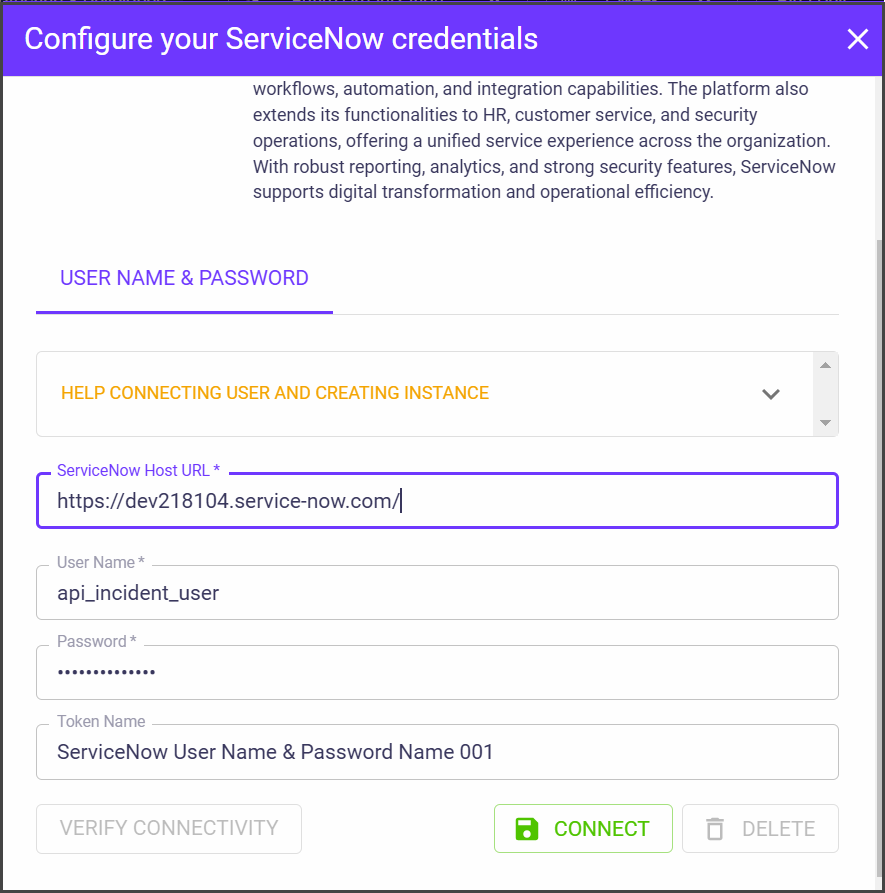
2. Select **ServiceNow**. The **Configure your ServiceNow credentials** dialog appears.
| Parameter | Description |
| ----------------------- | -------------------------------------------------------------------------------- |
| **ServiceNow Host URL** | The URL of the ServiceNow developer site. |
| **User Name** | The name of the user that was defined in ServiceNow for the integration with OX. |
| **Password** | The password for the OX user in ServiceNow. |
| **Token Name** | The token name is automatically generated by OX. |
2. Select **CONNECT**. The ServiceNow connector is configured.
---
# Agent Instructions
This documentation is published with GitBook. GitBook is the documentation platform designed so that both humans and AI agents can read, navigate, and reason over technical content effectively. Learn more at gitbook.com.
## Querying This Documentation
If you need additional information that is not directly available in this page, you can query the documentation by asking a question.
Perform an HTTP GET request on the following URL with the `ask` and `goal` query parameters:
```
GET https://docs.ox.security/ticketing-and-messaging/ticket-management/servicenow.md?ask=&goal=
```
`ask` is the immediate question: it should be specific, self-contained, and written in natural language.
`goal` is what the user is ultimately trying to achieve, the reason they need the answer. Sharing it helps GitBook give you a better, more relevant answer. A goal is most helpful when it describes the outcome the user wants rather than restating the question. For example, with `ask=how do I create an API token`, a goal like `automate deployments from our CI pipeline` lets GitBook tailor the answer to that use case.
The response will contain a direct answer to the question and relevant excerpts and sources from the documentation.
Use this mechanism when the answer is not explicitly present in the current page, you need clarification or additional context, or you want to retrieve related documentation sections.